
Documentation
Animated Mapping
VFX Loom 1.0 reference for the Animated Mapping node.
transform.animatedMapping 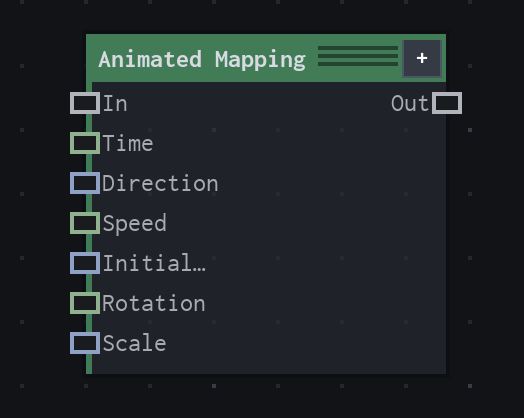
Overview
Scrolls and transforms coordinates with time-driven translation.
Time-driven lazy mapping. Connected Time overrides evaluator frame time; otherwise the evaluator's authoritative frame time is used.
- Category
- Transform
- Internal ID
transform.animatedMapping- Version
- VFX Loom 1.0
Inputs
| Input | Type | Required | Default | Meaning |
|---|---|---|---|---|
| in | Field | Optional | — | defaults UV |
| Time | Scalar | Optional | — | renderer frame time when unconnected |
| Direction | Vector2 | Optional | (1,0) | See the overview for the node's documented behavior. |
| Speed | Scalar | Optional | 1 | See the overview for the node's documented behavior. |
| Initial Offset | Vector2 | Optional | (0,0) | See the overview for the node's documented behavior. |
| Rotation | Scalar | Optional | 0° | See the overview for the node's documented behavior. |
| Scale | Vector2 | Optional | (1,1) | See the overview for the node's documented behavior. |
Properties
| Property | Type | Default | Animatable | Range / options | Effect |
|---|---|---|---|---|---|
| Direction | Vector2 | (1,0) | Yes | — | Animatable control; changing it over time varies the node response. |
| Speed | Scalar | 1 | Yes | UI range: soft | Animatable control; changing it over time varies the node response. |
| Initial Offset | Vector2 | (0,0) | Yes | — | Animatable control; changing it over time varies the node response. |
| Rotation | Scalar | 0° | Yes | UI range: soft | Animatable control; changing it over time varies the node response. |
| Scale | Vector2 | (1,1) | Yes | — | Animatable control; changing it over time varies the node response. |
Outputs
| Output | Type | Meaning |
|---|---|---|
| out | Field | The production node output described by the overview. |
Usage
In practice
- Use Animated Mapping when the graph needs Scrolls and transforms coordinates with time-driven translation.
- Time-driven lazy mapping. Connected Time overrides evaluator frame time; otherwise the evaluator's authoritative frame time is used.
- Use it where the graph needs coordinate or image-space movement; keep sampling and edge policy aligned with the source artwork.
Examples
These examples show Animated Mapping in supplied VFX Loom graph setups. Each graph link opens the corresponding node reference; the explanation below the media is specific to this node's role in that setup.
Animated Mapping → Noise → Levels → Mask → Blur
An animated procedural field meets a transformed capsule branch at Mask: Float Value controls Transform scale, while Animated Mapping drives Noise and Levels before the final Blur.
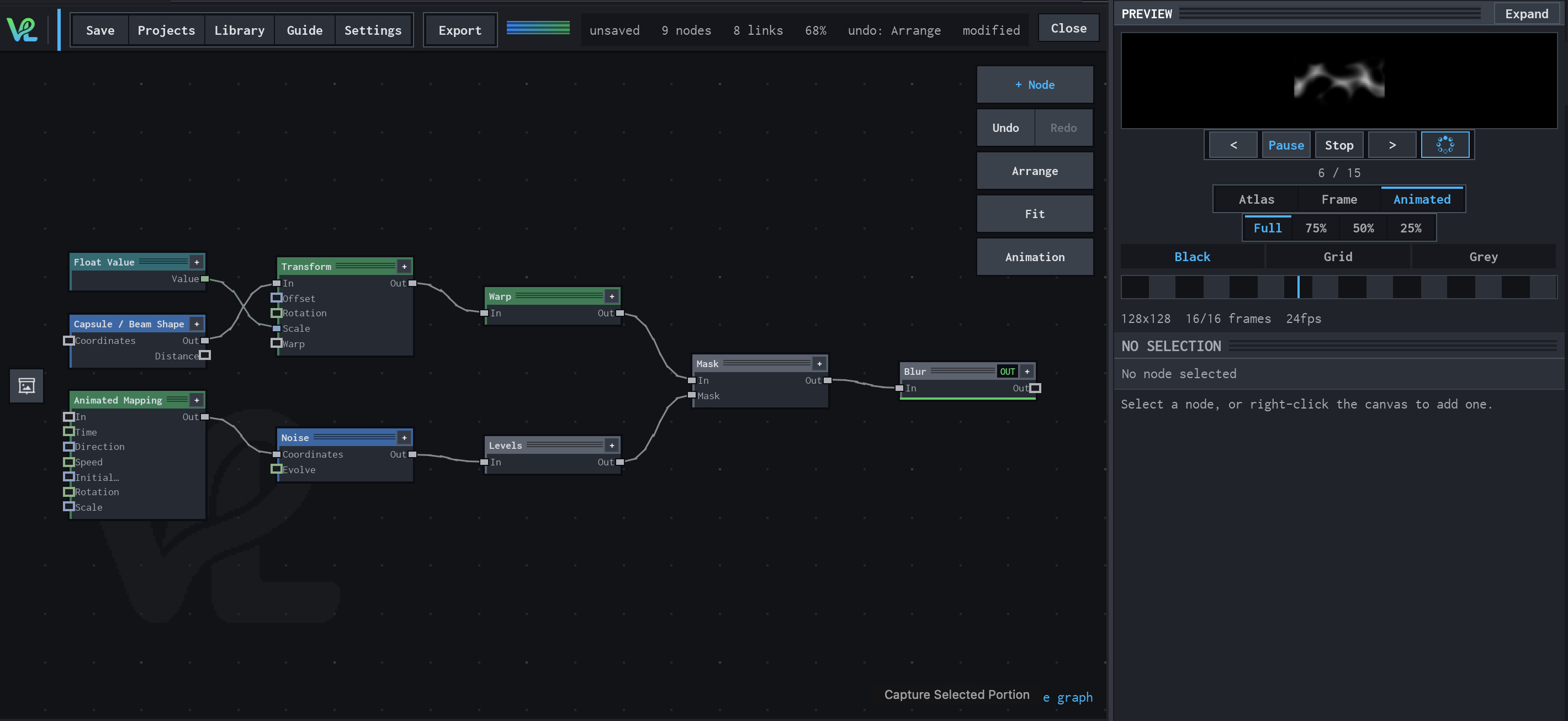
How Animated Mapping contributes
Animated Mapping scrolls the coordinate field over time. The video shows this field moving while the graph structure stays fixed.
Notes / limitations
- No step is declared for Direction, Speed, Initial Offset, Rotation, or Scale.
- No component bounds are declared for vector inputs/parameters.