
Documentation
Time
VFX Loom 1.0 reference for the Time node.
animation.time 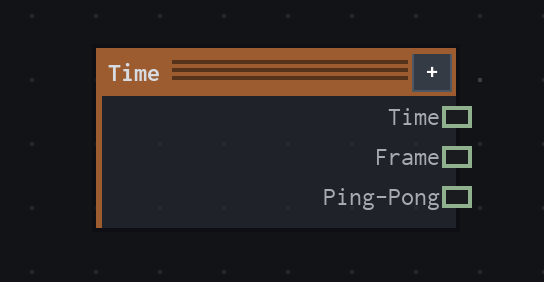
Overview
Reads the renderer's current flipbook timeline and exposes phase, frame index, and a mirrored phase as graph values. It is the graph node's clock, not the Animation Editor itself.
- Category
- Animation
- Internal ID
animation.time- Version
- VFX Loom 1.0
Properties
| Property | Type | Default | Animatable | Range / options | Effect |
|---|---|---|---|---|---|
| Speed | Scalar | 1 | Not declared | Hard 0..8 · soft UI range | Multiplies the renderer time before Offset is applied. In Linear mode with Loop Safe off, 2 traverses the phase twice as fast and 0 holds the phase. Loop mode or Loop Safe rounds non-zero movement to a positive whole-number speed, with a minimum of 1. |
| Offset | Scalar | 0 | Not declared | Hard 0..1 | Shifts the phase before it wraps with modulo 1. It changes where the graph starts in its cycle; values outside the range are not part of the declared control range. |
| Mode | Enum | Linear | No | Linear · Loop | Linear emits the wrapped phase directly. Loop converts the phase to a closed cosine: it starts at 0, reaches 1 in the middle, and returns to 0 with zero slope at the boundary. |
| Loop Safe | Bool | true | No | Boolean | When enabled in Linear mode, rounds Speed to a positive whole number so an evolving graph returns to its starting state. Loop mode applies the same rounding regardless of this switch. |
Outputs
| Output | Type | Meaning |
|---|---|---|
| Time | Scalar | The normalized phase: the wrapped linear phase in Linear mode, or the closed 0→1→0 cosine phase in Loop mode. |
| Frame | Scalar | The integer renderer timeline frame, returned directly from the evaluator frame. |
| Ping-Pong | Scalar | The mirrored value derived from Time as mirror(Time × 2, 1), producing a 0→1→0 traversal for a linear Time phase. |
Usage
In practice
- Connect Time to an animatable scalar input when a graph parameter should follow the project timeline rather than a hand-authored keyframe curve. Motion and Animated Mapping are useful consumers when the goal is movement.
- Use Time for procedural evolution in a flipbook. Loop mode is the closed periodic output; Linear mode is the direct wrapped playhead phase and is useful when a downstream node should see a ramp.
- Use Frame when the graph needs the integer frame index. Speed, Offset, and Mode affect Time; Frame remains the evaluator's current frame value.
Worked example: Time → an animatable parameter
Drive a procedural animation from the graph clock so the same phase is available to multiple nodes. This keeps the motion deterministic and makes the loop policy explicit at the source.
- Add Time and connect Time to an animatable scalar input, such as Noise Evolve or a mapping speed control. Leave Speed at 1 and Offset at 0 while checking the phase.
- Choose Linear when the consumer wants a direct 0..1 cycle. Choose Loop when the consumer should rise and fall smoothly and meet the boundary without a slope discontinuity.
- Keep Loop Safe enabled when the graph's evolving state must return to its starting state at the end of the flipbook. Disable it only when Linear mode needs a non-integer or zero speed behaviour.
Examples
These examples show Time in supplied VFX Loom graph setups. Each graph link opens the corresponding node reference; the explanation below the media is specific to this node's role in that setup.
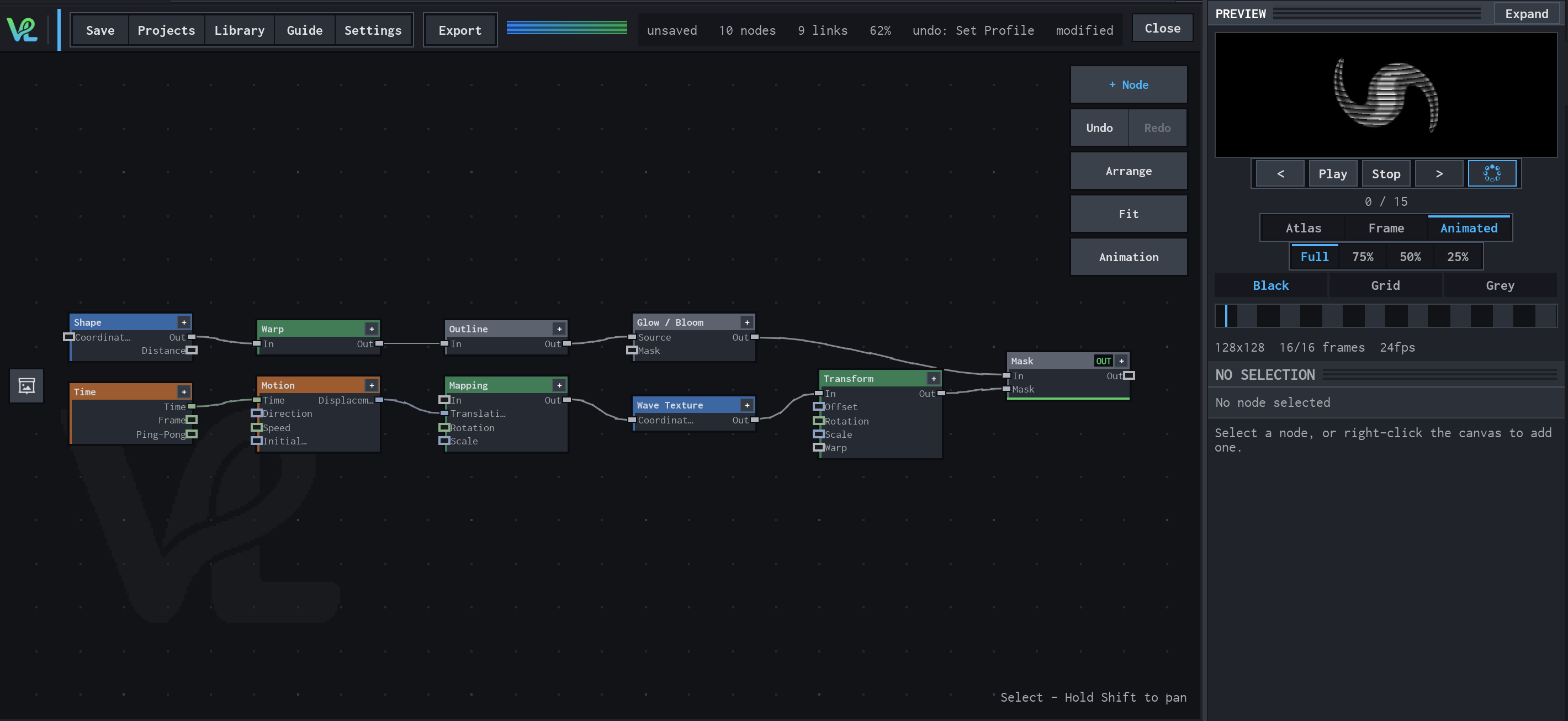
Shape / Warp / Glow with a moving wave branch
Two branches meet at Mask: a Shape branch is warped, outlined, and bloomed, while Time drives Motion → Mapping → Wave Texture → Transform to create a moving secondary field.
How Time contributes
Time is the animation source for the lower branch. It makes the demo's flipbook state advance without changing the node layout.
Notes / limitations
- Time is driven by the renderer/project timeline. It does not read or edit keyframes in the Animation Editor.
- The Animation Editor is the UI for authoring parameter keyframes; Time is a graph value that can drive an animatable input. See the Animation guide linked below.
- The production source does not mark Speed or Offset as animatable and does not declare a parameter step. The reference keeps that distinction instead of implying keyframe support from their scalar types.