
Documentation
Hue / Saturation / Value
VFX Loom 1.0 reference for the Hue / Saturation / Value node.
Color
processing.hsv 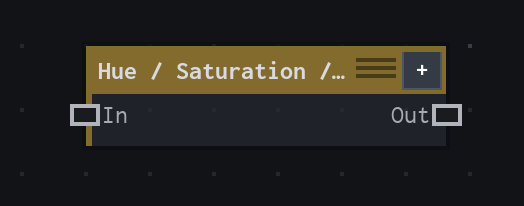
Overview
Recolors an image in HSV space while preserving alpha.
HSV pointwise adjustment; Hue wraps around the color wheel, Saturation scales saturation, Value adds normalized brightness, and alpha is preserved.
- Category
- Color
- Internal ID
processing.hsv- Version
- VFX Loom 1.0
Inputs
| Input | Type | Required | Default | Meaning |
|---|---|---|---|---|
| in | Image | Required | — | See the overview for the node's documented behavior. |
Properties
| Property | Type | Default | Animatable | Range / options | Effect |
|---|---|---|---|---|---|
| Hue | Scalar | 0 degrees | Yes | Hard -180..180 · UI range: soft | Rotates the hue around the colour wheel; the range wraps through the wheel. |
| Saturation | Scalar | 0 | Yes | Hard -1..1 · UI range: soft | Adds or removes saturation from the converted colour. |
| Value | Scalar | 0 | Yes | Hard -1..1 · UI range: soft | Adds normalized brightness to the converted colour. |
| Factor / Influence | Scalar | 1 | Yes | Hard 0..1 | Blends the HSV adjustment with the original image. |
Outputs
| Output | Type | Meaning |
|---|---|---|
| out | Image | The production node output described by the overview. |
Usage
In practice
- Use HSV when the image should be recoloured without changing its alpha. Hue rotates around the colour wheel; Saturation and Value adjust the converted colour components.
- Use Factor / Influence to blend the adjustment instead of duplicating the source graph. This is useful for restrained tints and animated colour shifts.
- Animate Hue for cyclic colour motion; keep Saturation and Value within their declared ranges when the effect should remain a controlled adjustment rather than a hard replacement.
Worked example: Image → Hue / Saturation / Value → Composite
Apply a controlled colour shift to a sprite or generated image while preserving its existing coverage.
- Connect the source image and set Hue to the desired colour-wheel offset.
- Use Saturation and Value to control intensity and brightness, then lower Factor / Influence for a partial treatment.
- Send the adjusted image to Composite or Blend; the source alpha is preserved through the HSV operation.
Notes / limitations
- Hue wraps around the colour wheel, while Saturation scales saturation and Value adds normalized brightness.
- The production source does not declare parameter steps for Hue, Saturation, Value, or Factor.