
Documentation
Motion
VFX Loom 1.0 reference for the Motion node.
animation.motion 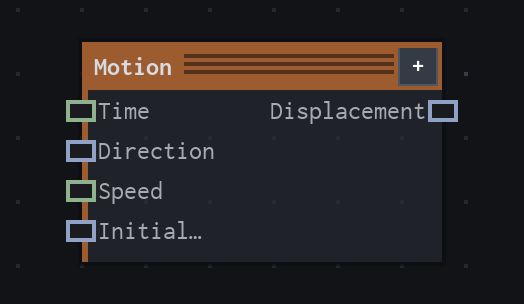
Overview
Builds a Vector2 displacement from graph time, direction, speed, and an initial offset. It is a graph value node, not an Animation Editor control.
Outputs Initial Offset + Direction × Speed × Time; direction is not normalized.
- Category
- Animation
- Internal ID
animation.motion- Version
- VFX Loom 1.0
Inputs
| Input | Type | Required | Default | Meaning |
|---|---|---|---|---|
| time | Scalar | Required | 0 | graph time/driver |
| direction | Vector2 | Required | (1,0) | not normalized |
| speed | Scalar | Required | 1 | See the overview for the node's documented behavior. |
| initialOffset | Vector2 | Required | (0,0) | See the overview for the node's documented behavior. |
Properties
| Property | Type | Default | Animatable | Range / options | Effect |
|---|---|---|---|---|---|
| Direction | Vector2 | (1,0) | Yes | — | Animatable control; changing it over time varies the node response. |
| Speed | Scalar | 1 | Yes | UI range: soft | Animatable control; changing it over time varies the node response. |
| Initial Offset | Vector2 | (0,0) | Yes | — | Animatable control; changing it over time varies the node response. |
Outputs
| Output | Type | Meaning |
|---|---|---|
| displacement | Vector2 | The production node output described by the overview. |
Usage
In practice
- Connect Time or another scalar driver to time when the movement should follow a project timeline; direction is not normalized, so its magnitude also affects displacement.
- Use Speed to control signed travel rate and Initial Offset to place the starting point. Negative Speed reverses travel along the supplied direction.
- Feed displacement into Animated Mapping, Transform, or another Vector2 input when the graph needs procedural movement rather than authored keyframes.
Worked example: Time → Motion → Animated Mapping
Scroll a coordinate field at a deterministic rate while keeping the movement controls in the graph.
- Connect Time to Motion time and set Direction to the intended travel vector.
- Adjust Speed for rate and sign, then use Initial Offset to choose the starting position.
- Connect displacement to Animated Mapping or another Vector2 consumer. Use the Animation Editor only when the motion should be authored as keyframes.
Examples
These examples show Motion in supplied VFX Loom graph setups. Each graph link opens the corresponding node reference; the explanation below the media is specific to this node's role in that setup.
Shape / Warp / Glow with a moving wave branch
Two branches meet at Mask: a Shape branch is warped, outlined, and bloomed, while Time drives Motion → Mapping → Wave Texture → Transform to create a moving secondary field.
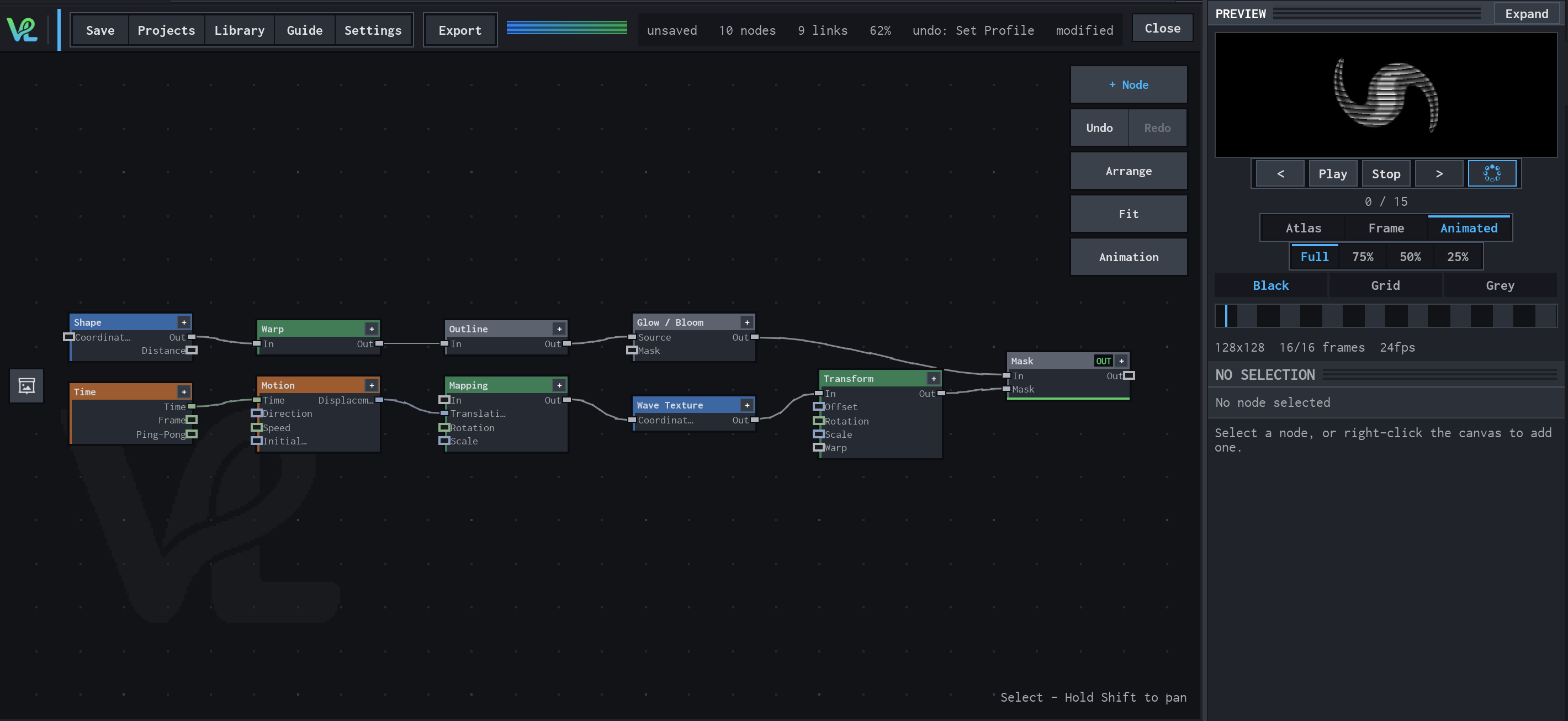
How Motion contributes
Motion converts Time into a displacement vector. Direction and Speed determine how the mapped wave travels through the field.
Notes / limitations
- Direction is not normalized; (2,0) travels twice as far per unit time as (1,0).
- The source does not declare component bounds or parameter steps for Direction, Speed, or Initial Offset.
- See the Animation guide for the separate keyframe and Animation Editor workflow.