
Documentation
Directional Blur
VFX Loom 1.0 reference for the Directional Blur node.
Filters
processing.directionalBlur 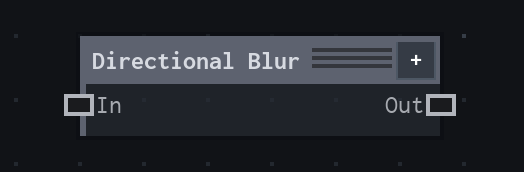
Overview
Centered line blur for motion streaks, trails, smoke, and directional energy.
Centered line blur; zero Length is identity for matching dimensions. Requested sample count is clamped to 2..32; preview may reduce samples.
- Category
- Filters
- Internal ID
processing.directionalBlur- Version
- VFX Loom 1.0
Inputs
| Input | Type | Required | Default | Meaning |
|---|---|---|---|---|
| in | Image | Required | — | See the overview for the node's documented behavior. |
Properties
| Property | Type | Default | Animatable | Range / options | Effect |
|---|---|---|---|---|---|
| Angle | Scalar | 0° | Yes | Step 1 | Sets the direction of the centred blur line. |
| Length | Scalar | .02 | Yes | Step .001 | Sets how far samples extend along the line; zero is an identity operation for matching dimensions. |
| Samples | Scalar | 4 | Not declared | Step 1 | Controls the number of samples used along the streak; the requested value is clamped to 2..32. |
| Falloff | Enum | Uniform | Not declared | Uniform · Linear | Chooses the contribution profile along the blur line. |
| Edges | Enum | Black | Not declared | Fade out · Extend · Tile · Mirror | Controls samples outside the source image. |
| Sampling | Enum | Nearest | Not declared | Nearest · Bilinear | Chooses nearest or bilinear reconstruction for the sampled image. |
Outputs
| Output | Type | Meaning |
|---|---|---|
| out | Image | The production node output described by the overview. |
Usage
In practice
- Use Directional Blur for centred streaks, trails, smoke smears, and energy lines where an ordinary isotropic Blur would spread in every direction.
- Angle chooses the line direction; Length controls the streak extent; Samples trades evaluation cost against smoothness. Zero Length is an identity for matching dimensions.
- Use Falloff to shape contribution along the line, Edges to decide how samples outside the image behave, and Sampling to choose smooth or nearest reconstruction.
Worked example: Motion mask → Directional Blur → Glow
Create a directional energy trail by stretching a mask along its travel direction before adding a glow.
- Connect the source mask or image and set Angle to the travel direction.
- Increase Length until the streak reaches the intended distance, then raise Samples only if the line shows visible stepping.
- Use Directional Blur before Glow or Composite; choose Tile edges for a seamless texture and Fade out for a bounded frame.
Notes / limitations
- The requested Samples value is clamped to 2..32, and preview quality may reduce the effective sample count.
- Length is expressed in the production control domain, not as a fixed number of output pixels.