
Documentation
Emboss
VFX Loom 1.0 reference for the Emboss node.
Filters
processing.emboss 
Overview
Creates directional relief from internal image gradients.
Central-difference relief processor. Grayscale writes relief; Preserve Color modulates source RGB; source alpha is preserved.
- Category
- Filters
- Internal ID
processing.emboss- Version
- VFX Loom 1.0
Inputs
| Input | Type | Required | Default | Meaning |
|---|---|---|---|---|
| in | Image | Required | — | See the overview for the node's documented behavior. |
Properties
| Property | Type | Default | Animatable | Range / options | Effect |
|---|---|---|---|---|---|
| Angle | Scalar | 0 degrees | Yes | Hard -180..180 · UI range: soft | Animatable control; changing it over time varies the node response. |
| Strength | Scalar | 1 | Yes | Hard 0..4 · UI range: soft | Animatable control; changing it over time varies the node response. |
| Distance | Scalar | 1 | Yes | Hard .25..8 · UI range: soft · Step .25 | Animatable control; changing it over time varies the node response. |
| Bias | Scalar | .5 | Yes | Hard 0..1 | Animatable control; changing it over time varies the node response. |
| Mode | Enum | Grayscale | Not declared | Grayscale · Preserve Color | Selects the mode behavior; each option changes the operation described in the overview. |
| Source Channel | Enum | Luminance | Not declared | Luminance · Alpha · Red · Green · Blue | Selects the source channel behavior; each option changes the operation described in the overview. |
Outputs
| Output | Type | Meaning |
|---|---|---|
| out | Image | The production node output described by the overview. |
Usage
In practice
- Use Emboss when the graph needs Creates directional relief from internal image gradients.
- Central-difference relief processor. Grayscale writes relief; Preserve Color modulates source RGB; source alpha is preserved.
- Place it after the image or mask it should process, and check its alpha and edge behavior before using the result in a tiled graph.
Examples
These examples show Emboss in supplied VFX Loom graph setups. Each graph link opens the corresponding node reference; the explanation below the media is specific to this node's role in that setup.
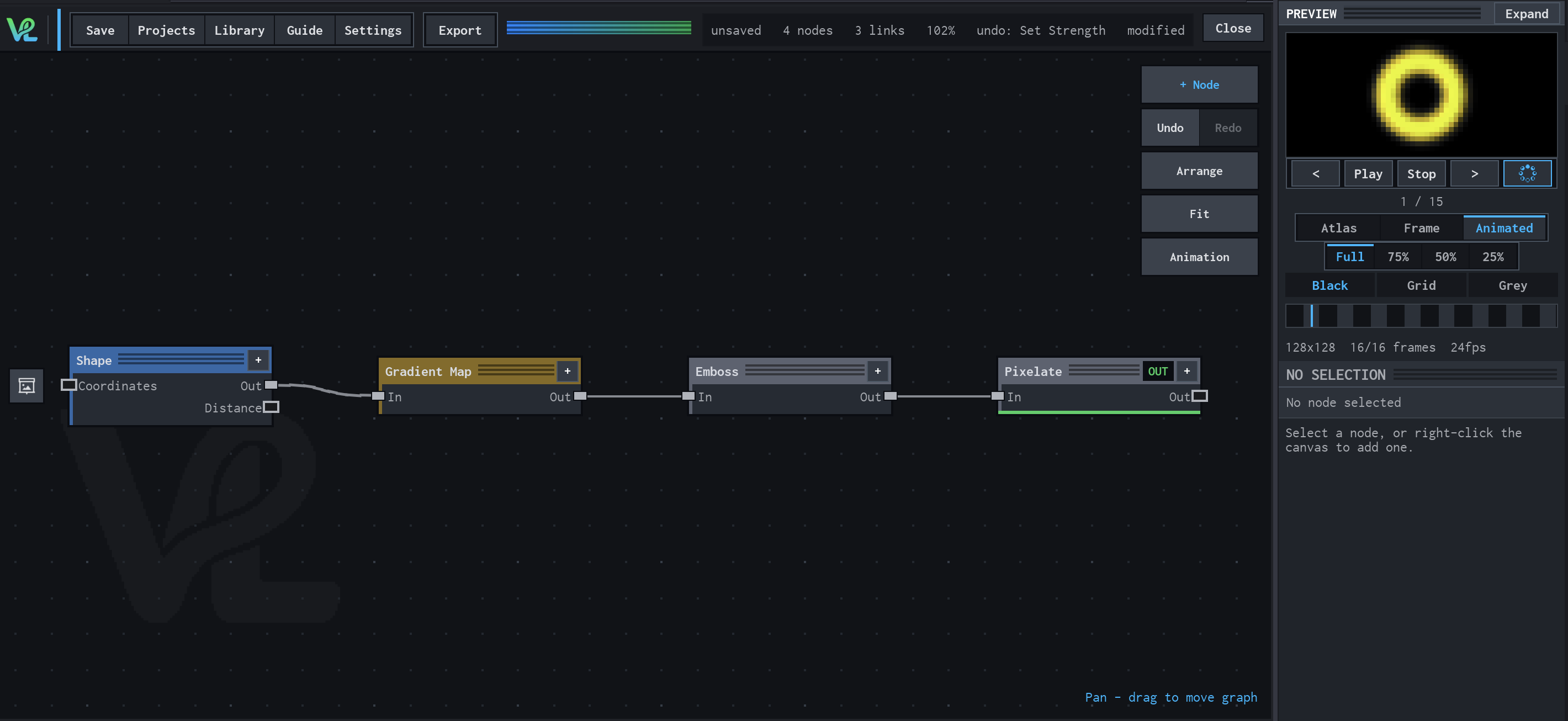
Shape → Gradient Map → Emboss → Pixelate
A stylized ring pipeline that turns Shape coverage into a mapped colour image, adds relief-like contrast, then deliberately reduces detail with Pixelate.
How Emboss contributes
Emboss adds directional relief cues to the mapped ring. It changes the perceived surface contrast without replacing the underlying colour branch.
Notes / limitations
- No step is declared for Angle, Strength, or Bias.