
Documentation
Blend
VFX Loom 1.0 reference for the Blend node.
Composite
composite.blend 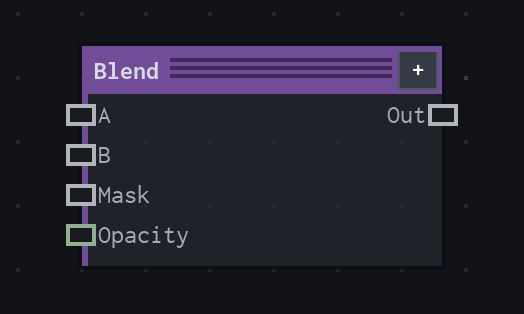
Overview
Combines two images. Optionally masked.
Image composite with optional mask and explicit blend modes. Connected Opacity overrides local Opacity.
- Category
- Composite
- Internal ID
composite.blend- Version
- VFX Loom 1.0
Inputs
| Input | Type | Required | Default | Meaning |
|---|---|---|---|---|
| a | Image | Required | — | base image |
| b | Image | Required | — | blended onto A |
| mask | Image | Optional | — | where white, blend applies using mask alpha |
| opacity | Scalar | Optional | 1 | connected value overrides local Opacity |
Properties
| Property | Type | Default | Animatable | Range / options | Effect |
|---|---|---|---|---|---|
| Mode | Enum | Over | Not declared | Normal (Alpha Over) · Add · Multiply · Screen · Subtract · Difference · Min · Max | Selects the mode behavior; each option changes the operation described in the overview. |
| Opacity | Scalar | 1 | Yes | Hard 0..1 | Animatable control; changing it over time varies the node response. |
| Clamp Result | Bool | false | Not declared | — | Local control documented by the production node behavior. |
Outputs
| Output | Type | Meaning |
|---|---|---|
| out | Image | The production node output described by the overview. |
Usage
In practice
- Use Blend when the graph needs Combines two images. Optionally masked.
- Image composite with optional mask and explicit blend modes. Connected Opacity overrides local Opacity.
- Use it late in the graph to combine image branches, then control blend mode, layer order, and opacity at the composite stage.
Notes / limitations
- No step is declared for Opacity.