
Documentation
Sprite Sheet Source
VFX Loom 1.0 reference for the Sprite Sheet Source node.
Generators
generator.spriteSheet 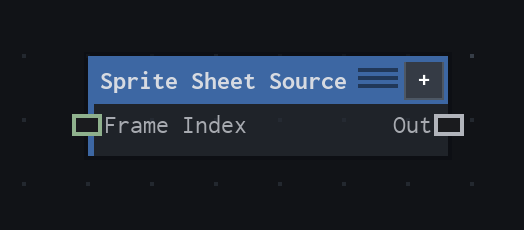
Overview
Extracts a time-driven or explicitly selected frame from a sprite sheet or texture atlas, with cell-local sampling to prevent neighbouring-frame bleed.
Auto follows project time; Frame reads local Frame Index. Auto Frame Count is Columns × Rows; Custom authors a shorter range. Start Frame + Frame Count must fit the atlas capacity, and out-of-range frame indices clamp. Negative Speed reverses playback. Cell-local sampling prevents neighboring-frame bleed.
- Category
- Generators
- Internal ID
generator.spriteSheet- Version
- VFX Loom 1.0
Inputs
| Input | Type | Required | Default | Meaning |
|---|---|---|---|---|
| frame | Scalar | Optional | — | Optional zero-based frame override. When connected, it takes precedence over Auto playback and the local Frame Index. |
Properties
| Property | Type | Default | Animatable | Range / options | Effect |
|---|---|---|---|---|---|
| Asset | Asset | rbxasset://textures/face.png | Not declared | — | Selects the atlas image to sample. |
| Playback | Enum | Auto | Not declared | Auto · Frame | Auto follows project time; Frame reads the local or connected frame index. |
| Columns | Scalar | 1 | Not declared | Step 1 | Sets the number of atlas cells across the image. |
| Rows | Scalar | 1 | Not declared | Step 1 | Sets the number of atlas cells down the image. |
| Frame Count | Scalar | 1 | Not declared | Step 1 | Sets the playback window size; Auto derives capacity from Columns × Rows, while Custom authors a shorter range. |
| Count Mode | Enum | Auto | Not declared | Auto · Custom | Chooses whether frame capacity is derived automatically or authored explicitly. |
| Start Frame | Scalar | 0 | Not declared | Step 1 | Sets the first cell in the playback window. |
| Frame Index | Scalar | 0 | Yes | UI range: soft · Step 1 | Selects a cell in Frame playback mode; values outside the available range clamp. |
| Speed | Scalar | 1 | Not declared | UI range: soft · Step .01 | Sets playback rate and direction in Auto mode; negative values reverse the sequence. |
| End | Enum | Loop | Not declared | Loop · Clamp | Chooses whether playback loops or clamps at the end of the authored range. |
| Fit | Enum | Stretch | Not declared | Stretch · Contain · Cover · Actual Size | Controls how the selected atlas cell is placed in the output frame. |
| Sampling | Enum | Bilinear | Not declared | Nearest · Bilinear | Chooses nearest or bilinear reconstruction within the selected cell. |
Outputs
| Output | Type | Meaning |
|---|---|---|
| out | Image | The production node output described by the overview. |
Usage
In practice
- Use Auto playback when the source should follow project time; use Frame playback when a graph value or authored Frame Index must select the cell.
- Set Columns and Rows to the atlas layout first. Auto Count derives the available frame capacity from that layout; Custom Count is useful when only part of the atlas is authored.
- Use Start Frame and End to define the playback window. Negative Speed reverses playback, while Fit controls how each selected cell is displayed.
Worked example: Sprite Sheet Source → Transform
Drive a flipbook texture from project time, then transform the selected cell without allowing samples to leak from adjacent cells.
- Set the Asset, Columns, Rows, and Count Mode so the atlas capacity matches the authored sheet.
- Choose Auto for timeline playback or Frame when a connected frame value should take control. Set Start Frame and Frame Count to the intended range.
- Connect the output to Transform or Colorize. Use Bilinear only when the cell padding and atlas layout can tolerate filtered sampling.
Notes / limitations
- In Auto mode, Frame Count is derived from Columns × Rows unless Count Mode is Custom; out-of-range frame indices clamp.
- The source does not explicitly mark Speed animatable, so this reference does not claim keyframe support for it.