
Documentation
Sharpness
VFX Loom 1.0 reference for the Sharpness node.
Filters
processing.sharpness 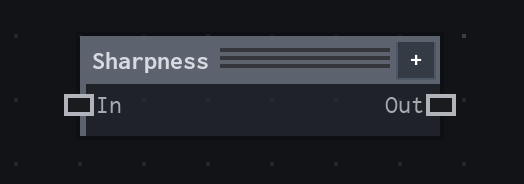
Overview
Sharpens local image detail with an alpha-safe unsharp mask.
Alpha-safe unsharp mask. Amount 0 preserves the input exactly; edge sampling uses Clamp.
- Category
- Filters
- Internal ID
processing.sharpness- Version
- VFX Loom 1.0
Inputs
| Input | Type | Required | Default | Meaning |
|---|---|---|---|---|
| in | Image | Required | — | See the overview for the node's documented behavior. |
Properties
| Property | Type | Default | Animatable | Range / options | Effect |
|---|---|---|---|---|---|
| Amount | Scalar | .5 | Yes | — | Animatable control; changing it over time varies the node response. |
Outputs
| Output | Type | Meaning |
|---|---|---|
| out | Image | The production node output described by the overview. |
Usage
In practice
- Use Sharpness when the graph needs Sharpens local image detail with an alpha-safe unsharp mask.
- Alpha-safe unsharp mask. Amount 0 preserves the input exactly; edge sampling uses Clamp.
- Place it after the image or mask it should process, and check its alpha and edge behavior before using the result in a tiled graph.
Notes / limitations
- No step is declared for Amount.