
Documentation
Blur
VFX Loom 1.0 reference for the Blur node.
processing.blur 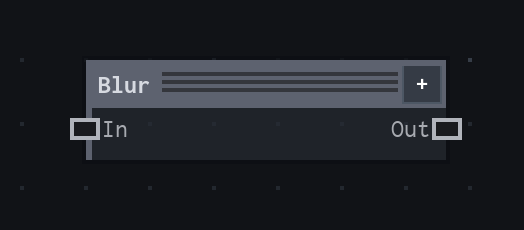
Overview
Applies a Gaussian-approximate blur to an Image, with edge modes for ordinary images and tileable textures.
- Category
- Filters
- Internal ID
processing.blur- Version
- VFX Loom 1.0
Inputs
| Input | Type | Required | Default | Meaning |
|---|---|---|---|---|
| In | Image | Required | — | The image to soften. |
Properties
| Property | Type | Default | Animatable | Range / options | Effect |
|---|---|---|---|---|---|
| Radius | Scalar | 0.02 | Yes | Hard 0..0.25 | Sets blur width as a fraction of the tile width, not a fixed pixel count. 0 is an identity blur; increasing it spreads neighbouring pixels farther and remains visually comparable as render resolution changes. |
| Edges | Enum | Black | No | Fade out · Extend · Tile · Mirror | Controls samples outside the source. Fade out uses black, Extend repeats the border, Tile wraps to the opposite side, and Mirror reflects the edge. Tile is the useful choice for seamless textures. |
Outputs
| Output | Type | Meaning |
|---|---|---|
| Out | Image | The blurred image at the node's output resolution. |
Usage
In practice
- Use a small Radius to soften a hard mask or reduce high-frequency texture before colour is applied. Larger values make a broad halo and can erase small features.
- Because Radius is expressed in tile units, the same authored value tracks the effect across different output resolutions. It is not a direct pixel-radius control.
- Animate Radius for a breathing glow or focus pull. Select Tile edges when the input is meant to wrap; the other modes intentionally create or extend a boundary at the tile edge.
Worked example: Shape → Blur → Composite
Use a clean mask as a source for a controllable halo, then composite that halo with another image. The example teaches the relationship between a mask's hard boundary, blur radius, and edge policy.
- Connect Shape Out to Blur and begin with Radius 0.02. Keep Edges at Tile if the mask is part of a repeating texture; use Fade out when the frame should fall away at its borders.
- Connect Blur Out to Composite as the glow or softened layer. Use the composite mode and opacity there to decide how the result sits over the base image.
- Increase Radius until the halo reaches the intended width, then keyframe it if the effect should expand or contract over the flipbook.
Examples
These examples show Blur in supplied VFX Loom graph setups. Each graph link opens the corresponding node reference; the explanation below the media is specific to this node's role in that setup.
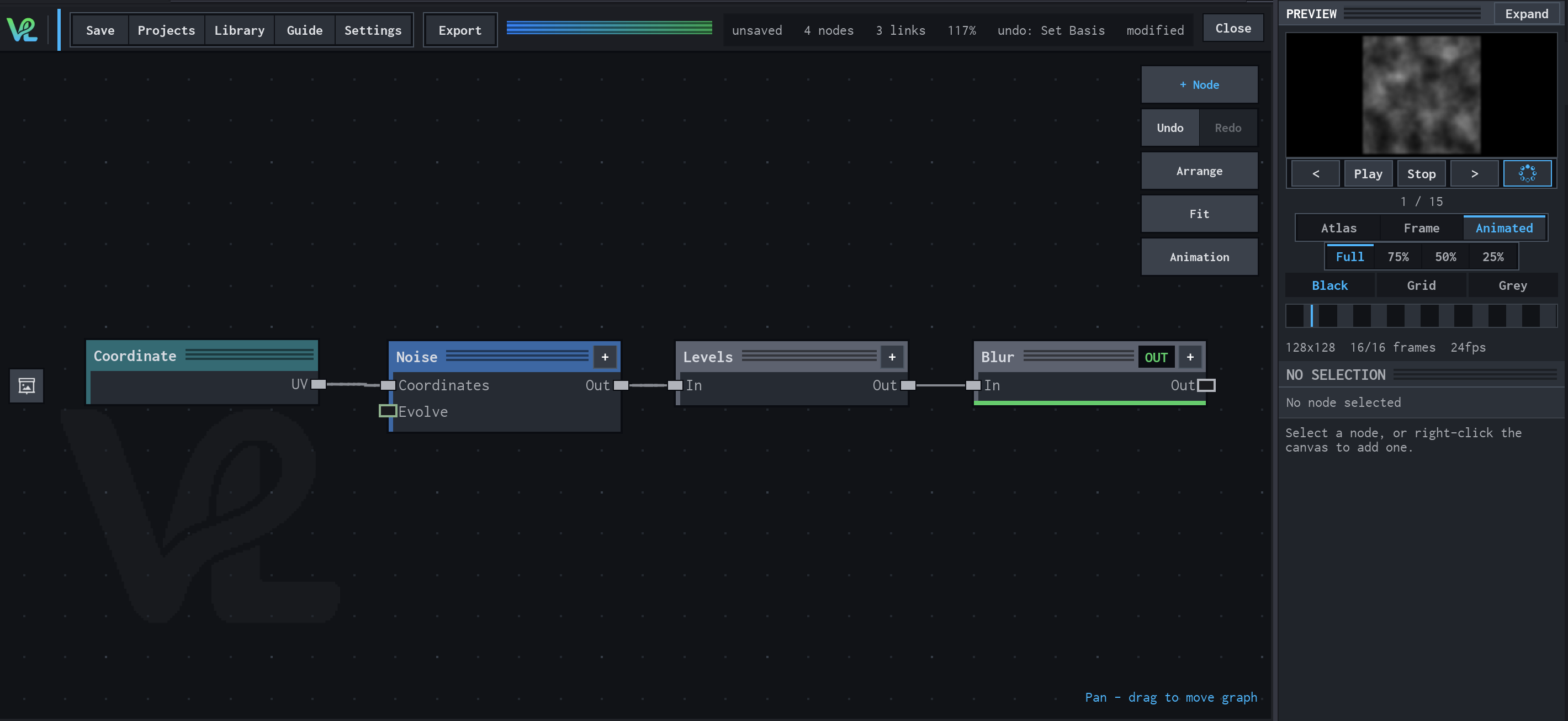
Noise → Levels → Blur
A compact grayscale texture chain: coordinates drive tileable noise, Levels tightens its tonal range, and Blur softens the result for a controllable field.
How Blur contributes
Blur is the final image-space stage. It turns the harder noise detail into a softer field while preserving the graph's tile-aware processing path.
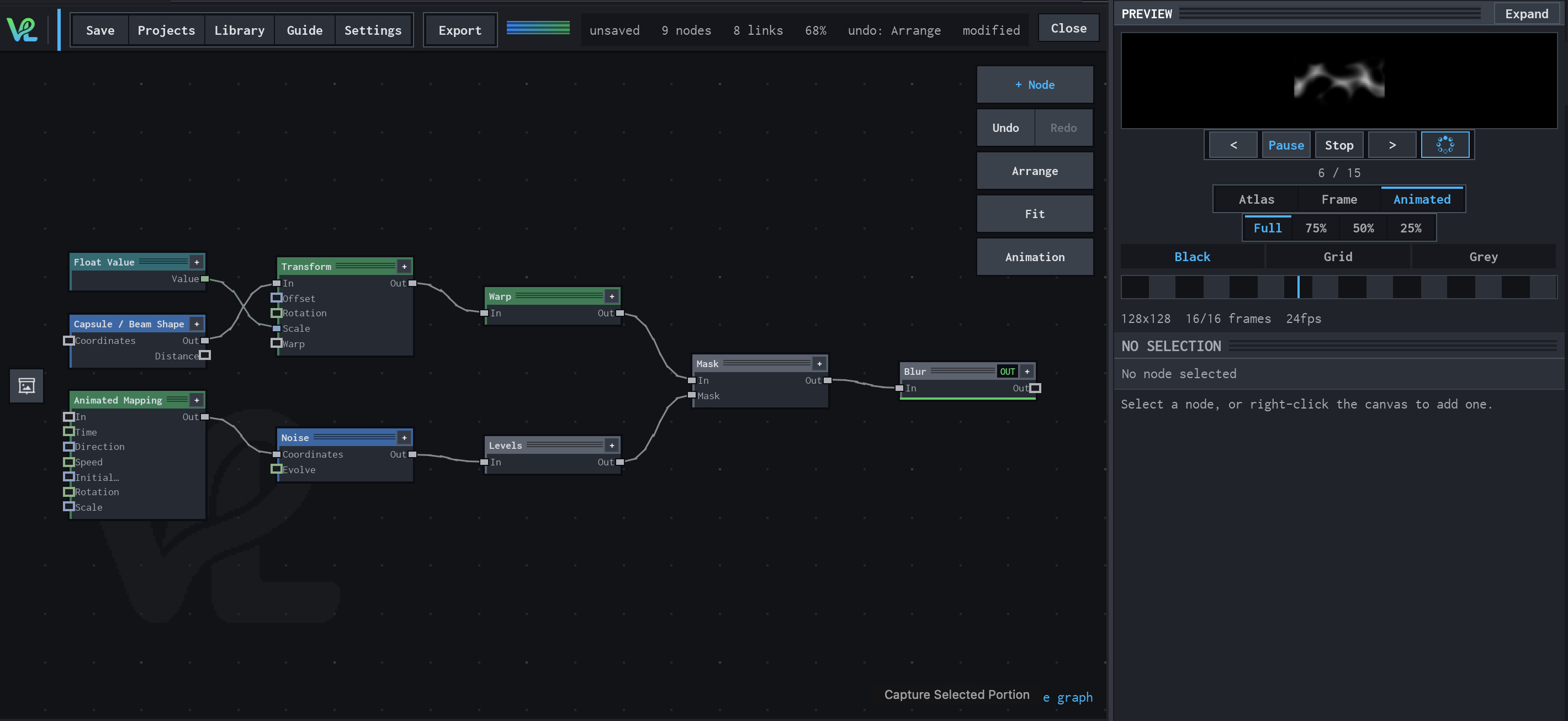
Animated Mapping → Noise → Levels → Mask → Blur
An animated procedural field meets a transformed capsule branch at Mask: Float Value controls Transform scale, while Animated Mapping drives Noise and Levels before the final Blur.
How Blur contributes
Blur is the final softening stage. It smooths the combined mask after both the geometric and procedural branches have contributed.
Notes / limitations
- The production Radius is resolution-independent because it is converted from a tile fraction at evaluation time.
- Blur is an Image processor. It does not create a coordinate Field or a scalar control value for another node.
- No parameter step is declared for Radius, so the reference does not invent one.