
Documentation
Position Gradient
VFX Loom 1.1.0 reference for the Geometry Beta Position Gradient node.
Fields
generator.geometryPositionGradient 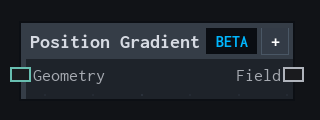
Overview
Builds a geometry field from local position along an axis.
Geometry Beta field source. Maps the selected local position axis from Min to Max and can invert the resulting field.
- Category
- Fields
- Internal ID
generator.geometryPositionGradient- Version
- Current audited reference
Inputs
| Input | Type | Required | Default | Meaning |
|---|---|---|---|---|
| geometry | Geometry | Required | — | See the overview for the node's documented behavior. |
Properties
| Property | Type | Default | Animatable | Range / options | Effect |
|---|---|---|---|---|---|
| Axis | Enum | Y | Not declared | X (Local X) · Y (Local Y) · Z (Local Z) | Selects the axis behavior; each option changes the operation described in the overview. |
| Min | Scalar | 0 | Yes | Hard -2..2 · UI range: soft · Step .01 | Animatable control; changing it over time varies the node response. |
| Max | Scalar | 1 | Yes | Hard -2..2 · UI range: soft · Step .01 | Animatable control; changing it over time varies the node response. |
| Invert | Bool | false | Not declared | — | Local control documented by the production node behavior. |
Outputs
| Output | Type | Meaning |
|---|---|---|
| field | GeometryField | The production node output described by the overview. |
Usage
In practice
- Use Position Gradient to localize a deformation along the mesh's local X, Y, or Z axis.
- Adjust Min and Max to place the falloff, then use Invert when the opposite end should receive the weight.
Notes / limitations
- The gradient uses local mesh position, not a separate image UV coordinate.