
Documentation
Remap
VFX Loom 1.0 reference for the Remap node.
Math
processing.remap 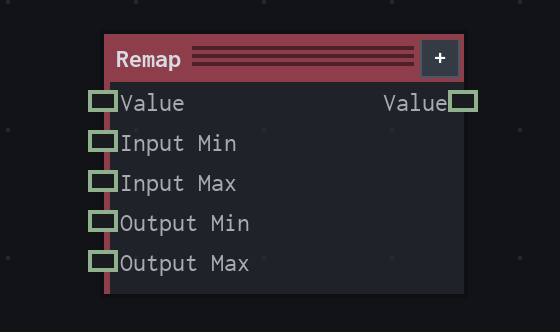
Overview
Converts a scalar from one range into another.
Shared clamped or unclamped scalar range conversion. A disconnected range input uses the listed default.
- Category
- Math
- Internal ID
processing.remap- Version
- VFX Loom 1.0
Inputs
| Input | Type | Required | Default | Meaning |
|---|---|---|---|---|
| value | Scalar | Required | 0 | See the overview for the node's documented behavior. |
| inputMin | Scalar | Required | 0 | See the overview for the node's documented behavior. |
| inputMax | Scalar | Required | 1 | See the overview for the node's documented behavior. |
| outputMin | Scalar | Required | 0 | See the overview for the node's documented behavior. |
| outputMax | Scalar | Required | 1 | See the overview for the node's documented behavior. |
Properties
| Property | Type | Default | Animatable | Range / options | Effect |
|---|---|---|---|---|---|
| Mode | Enum | Clamp | Not declared | Clamp · Unclamped | Selects the mode behavior; each option changes the operation described in the overview. |
Outputs
| Output | Type | Meaning |
|---|---|---|
| value | Scalar | The production node output described by the overview. |
Usage
In practice
- Use Remap when the graph needs Converts a scalar from one range into another.
- Shared clamped or unclamped scalar range conversion. A disconnected range input uses the listed default.
- Use it to shape a scalar driver before it reaches an animatable parameter or another value node.