Documentation
Material Output
VFX Loom 1.1.0 reference for the Material Output node.
output.material 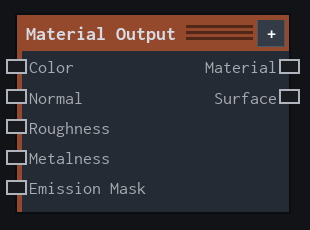
Overview
Collects surface-map inputs for the Material workflow and exposes the material result to the preview or Asset Output.
Material terminal output. Optional maps populate the corresponding material channels; unconnected channels use their documented defaults and do not retain stale maps.
- Category
- Material
- Internal ID
output.material- Version
- Current audited reference
Inputs
| Input | Type | Required | Default | Meaning |
|---|---|---|---|---|
| Color | Image | Optional | — | See the overview for the node's documented behavior. |
| Normal | Image | Optional | — | See the overview for the node's documented behavior. |
| Roughness | Image | Optional | — | See the overview for the node's documented behavior. |
| Metalness | Image | Optional | — | See the overview for the node's documented behavior. |
| Emission Mask | Image | Optional | — | See the overview for the node's documented behavior. |
Properties
| Property | Type | Default | Animatable | Range / options | Effect |
|---|---|---|---|---|---|
| Roughness Mode | Enum | None | Not declared | None · Constant | Selects the roughness mode behavior; each option changes the operation described in the overview. |
| Default Roughness | Scalar | .5 | Not declared | Hard 0..1 · Step .01 | Local control documented by the production node behavior. |
| Metalness Mode | Enum | None | Not declared | None · Constant | Selects the metalness mode behavior; each option changes the operation described in the overview. |
| Default Metalness | Scalar | 0 | Not declared | Hard 0..1 · Step .01 | Local control documented by the production node behavior. |
| Emission Strength | Scalar | 1 | Not declared | Hard 0..16 · Step .01 | Local control documented by the production node behavior. |
| Emission Tint Color | Color | (1,1,1,1) | Not declared | — | Local control documented by the production node behavior. |
Outputs
| Output | Type | Meaning |
|---|---|---|
| Material | Image | The production node output described by the overview. |
| Surface | Material | The production node output described by the overview. |
Usage
In practice
- Connect only the channels you need: Color, Normal, Roughness, Metalness, and Emission Mask are optional.
- Use the channel defaults when a map is intentionally absent; connect Material Output to Asset Output when the same mesh should receive the material.
Examples
These examples show Material Output in supplied VFX Loom graph setups. Each graph link opens the corresponding node reference; the explanation below the media is specific to this node's role in that setup.
Material surface maps
A compact Material graph turns procedural noise into colour, roughness, normal, and cavity inputs for Material Output.
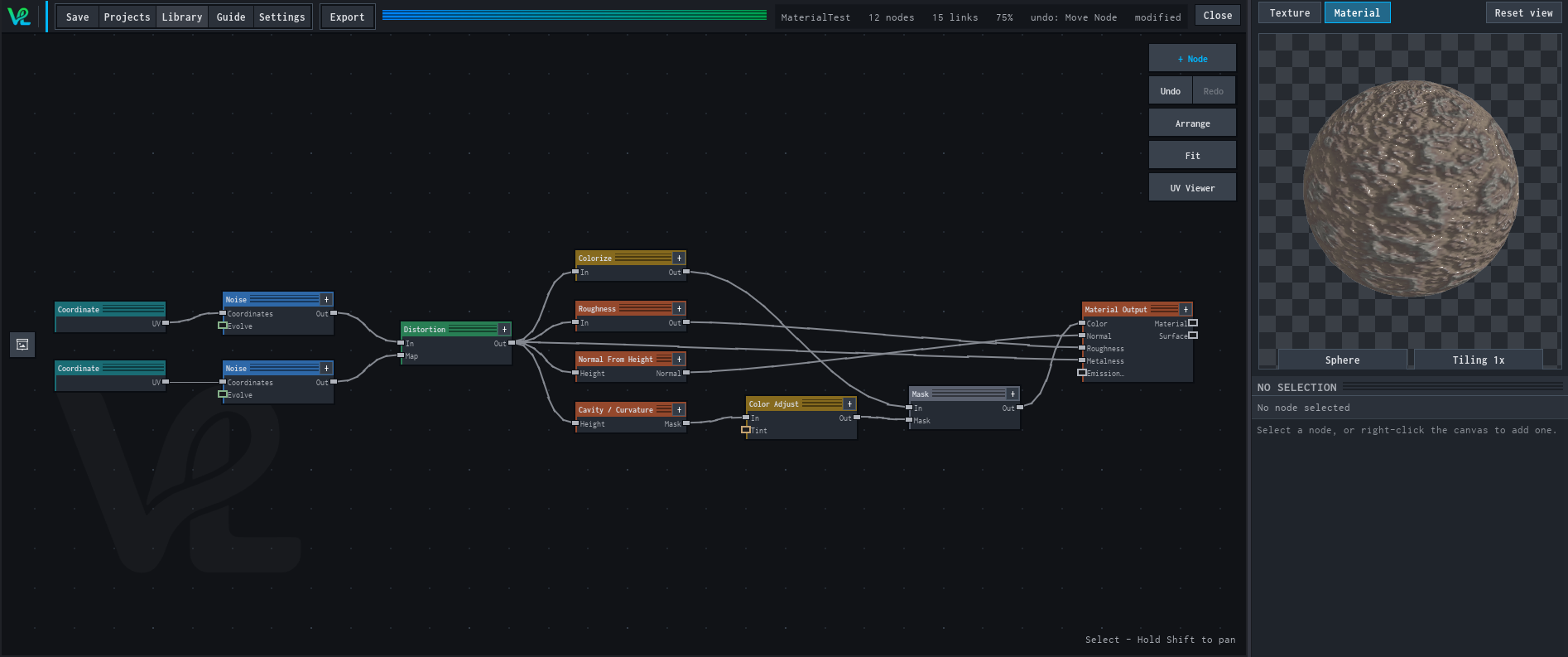
How Material Output contributes
Material Output collects the optional surface maps for the Material preview or export path.
Material maps and masked detail
A Material graph combines procedural colour, mesh-derived curvature and occlusion, roughness, normal detail, and a layered composite.
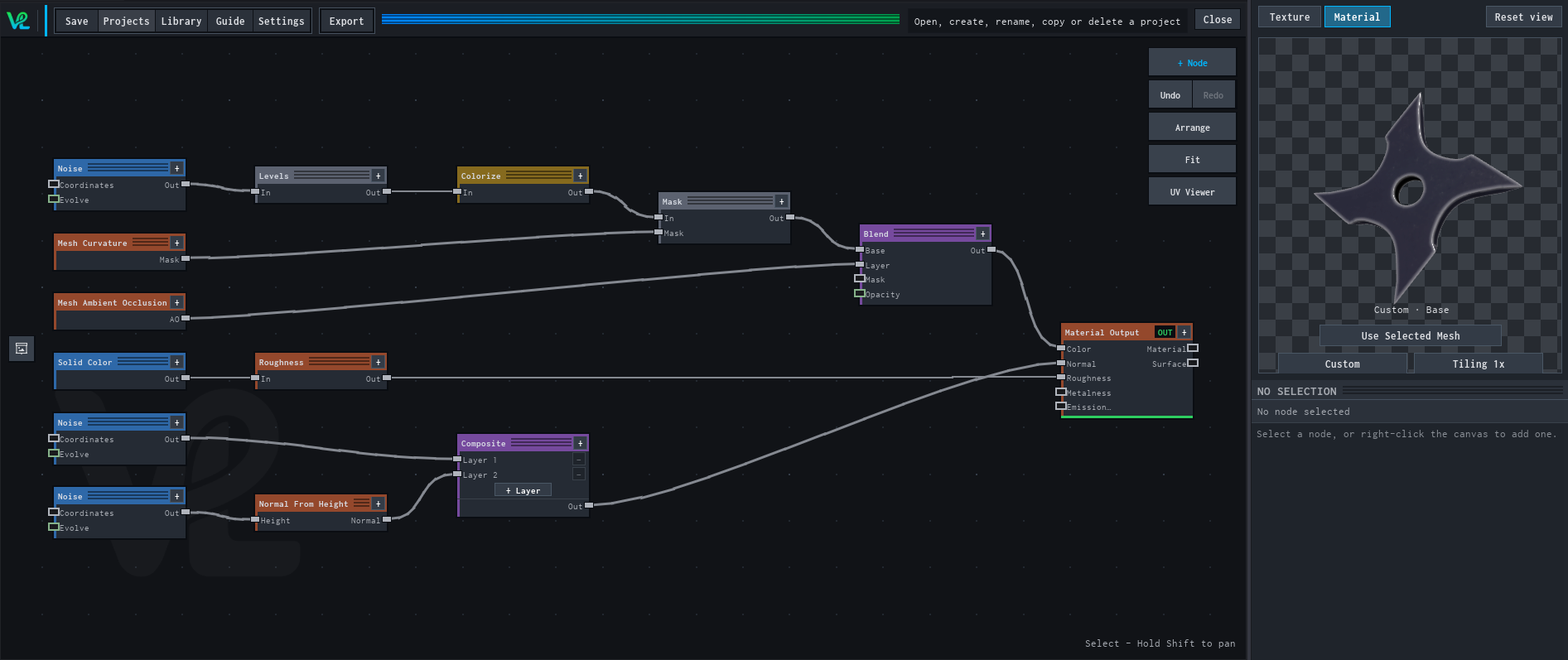
How Material Output contributes
Material Output is the final channel collector for the shown surface-map graph.
Notes / limitations
- Material maps follow the target mesh UV layout. A MeshPart without usable UVs previews as a flat colour until it is unwrapped.