
Documentation
Color Ramp
VFX Loom 1.0 reference for the Color Ramp node.
Color
processing.colorRamp 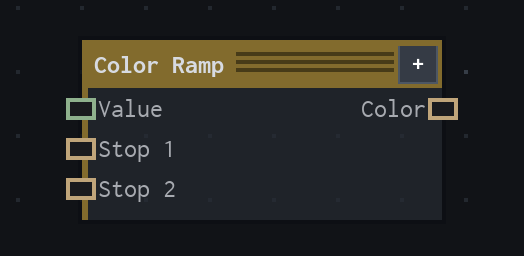
Overview
Maps a Scalar value to Color using editable stops. For Image inputs, use Gradient Map or Colorize.
Value node with ordered dynamic stops and Linear, Smooth, or Constant interpolation.
- Category
- Color
- Internal ID
processing.colorRamp- Version
- VFX Loom 1.0
Inputs
| Input | Type | Required | Default | Meaning |
|---|---|---|---|---|
| value | Scalar | Required | 0 | See the overview for the node's documented behavior. |
Properties
| Property | Type | Default | Animatable | Range / options | Effect |
|---|---|---|---|---|---|
| Interpolation | Enum | Linear | Not declared | Linear · Smooth · Constant | Selects the interpolation behavior; each option changes the operation described in the overview. |
| dynamic Stop inputs | minimum 2, initial 2, capacity 16; each stop has Color and Position [hard 0..1] parameters; default positions 0 and 1; default colors black and white | — | Not declared | — | Local control documented by the production node behavior. |
Outputs
| Output | Type | Meaning |
|---|---|---|
| color | Color | The production node output described by the overview. |
Usage
In practice
- Use Color Ramp when the graph needs Maps a Scalar value to Color using editable stops. For Image inputs, use Gradient Map or Colorize.
- Value node with ordered dynamic stops and Linear, Smooth, or Constant interpolation.
- Use it after a source or scalar field, then send the adjusted image or colour value to a downstream composite or material stage.
Notes / limitations
- Dynamic stop Color parameters have source defaults but no explicit animatable flags.