
Documentation
Noise
VFX Loom 1.0 reference for the Noise node.
generator.noise 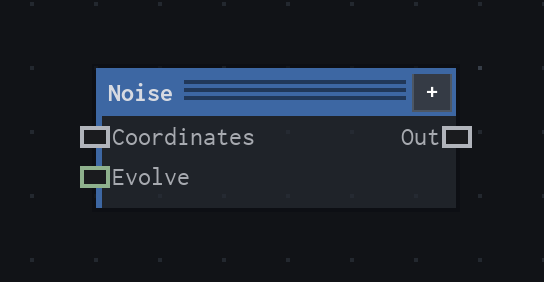
Overview
Generates tileable fractal noise from a coordinate stream. One node covers Value, Gradient, and both Worley variants, so the same procedural texture can become clouds, cells, breakup, or a driven animation field.
- Category
- Generators
- Internal ID
generator.noise- Version
- VFX Loom 1.0
Inputs
| Input | Type | Required | Default | Meaning |
|---|---|---|---|---|
| Coordinates | Field | Optional | UV | The coordinate stream to sample. When disconnected, Noise uses UV. |
| Evolve | Scalar | Optional | 0 | In Pattern mode, blends deterministic pattern states; in Translate mode, preserves the legacy moving-field behaviour. |
Properties
| Property | Type | Default | Animatable | Range / options | Effect |
|---|---|---|---|---|---|
| Basis | Enum | Gradient | No | Value · Gradient · Worley (cells) · Worley (edges) | Chooses the underlying texture family. Value and Gradient give continuous fields; the Worley modes expose cellular structure or the boundaries between cells. |
| Frequency | Scalar | 4 | Yes | Hard 1..64 · step 1 · exponent 2 | Sets the base lattice frequency. Increasing it packs more features into the tile; the exponent makes the slider feel more useful across the logarithmic-looking range. |
| Octaves | Scalar | 4 | No | Hard 1..8 · step 1 | Adds detail layers. More octaves add finer variation and cost more evaluation work; fewer octaves leave a broader, simpler field. |
| Lacunarity | Scalar | 2 | No | Hard 1..4 | Controls how much the frequency rises from one octave to the next. Higher values separate the detail scales more aggressively. |
| Gain | Scalar | 0.5 | No | Hard 0..1 | Controls how strongly each later octave contributes. Lower values keep the base layer dominant; higher values retain more fine detail. |
| Fold | Enum | None | No | None · Turbulence · Ridged | Changes how the fractal values are folded. Turbulence emphasises absolute variation; Ridged inverts the folded response to produce ridge-like bands. |
| Fast Gradient | Bool | false | No | Visible for Gradient basis | Uses 256 fixed gradient directions for a faster Gradient basis. It changes the pattern slightly, so enabling it is a visual change rather than a quality-only switch. |
| Evolve Scale | Scalar | 1 | No | Hard 0..16 · soft UI range | Scales the Evolve input before it affects the field or pattern state. Increase it when a small driver value should produce more visible change. |
| Evolve Mode | Enum | Translate | No | Translate (legacy) · Pattern | Translate moves the sampled field and preserves saved-project behaviour. Pattern changes deterministic internal states without moving UVs. |
| Seed Offset | Scalar | 0 | No | Hard 0..9999 · step 1 | Changes the deterministic pattern without changing the project seed. It is useful for making two otherwise identical noise nodes differ. |
Outputs
| Output | Type | Meaning |
|---|---|---|
| Out | Image | The generated grayscale noise image. |
Usage
In practice
- Use Noise as a scalar texture source: breakup for masks, broad variation for clouds and smoke, cellular structure for crystals or impact marks, and a stable field to drive later colour or distortion.
- Keep Coordinates disconnected for the canonical tiled UV space. Insert Mapping when the texture needs to scroll, rotate, or scale without changing Noise's own controls.
- Animate Frequency when the feature scale should change. Animate Evolve when the texture should progress; choose Pattern when the UV layout should stay put while the deterministic states morph.
Worked example: Noise → Levels → Colorize
This is the production source's intended colour pipeline: generate a scalar field, shape its contrast, then apply colour at the end. The same graph can read as fire, smoke, energy, or electricity depending on the ramp.
- Start Noise with Gradient basis, Frequency 4, Octaves 4, Gain 0.5, and Evolve Mode Pattern.
- Connect Out to Levels and use Levels to tighten the usable value range for the kind of breakup you want.
- Connect Levels to Colorize. Place a dark transparent colour at the low end, a saturated mid stop, and a bright opaque tip; adjust Stop 1 At and Stop 2 At to move the visual shoulder and core.
Examples
These examples show Noise in supplied VFX Loom graph setups. Each graph link opens the corresponding node reference; the explanation below the media is specific to this node's role in that setup.
Noise → Levels → Blur
A compact grayscale texture chain: coordinates drive tileable noise, Levels tightens its tonal range, and Blur softens the result for a controllable field.
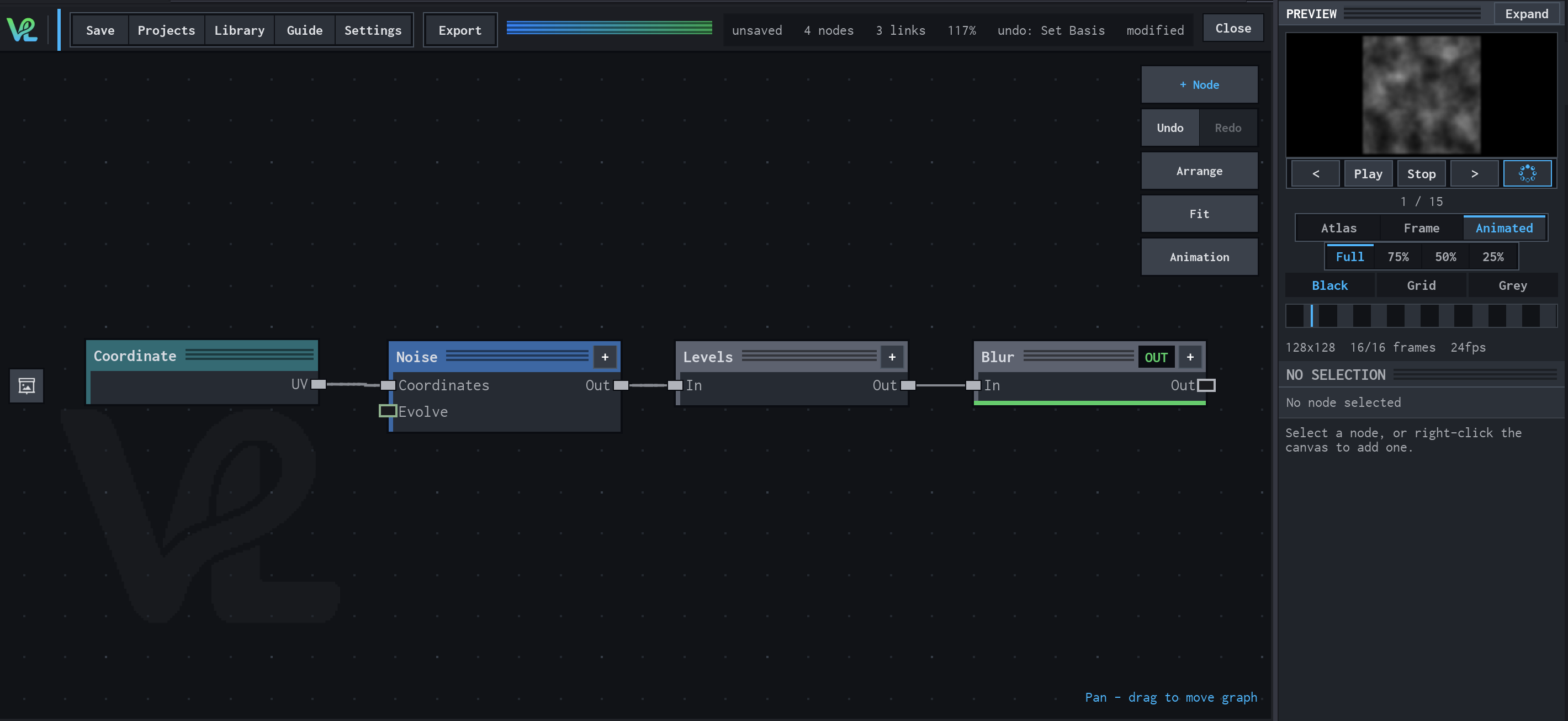
How Noise contributes
Noise is the texture source. Its output provides the varied grayscale signal that the downstream tonal and softening stages shape.
Animated Mapping → Noise → Levels → Mask → Blur
An animated procedural field meets a transformed capsule branch at Mask: Float Value controls Transform scale, while Animated Mapping drives Noise and Levels before the final Blur.
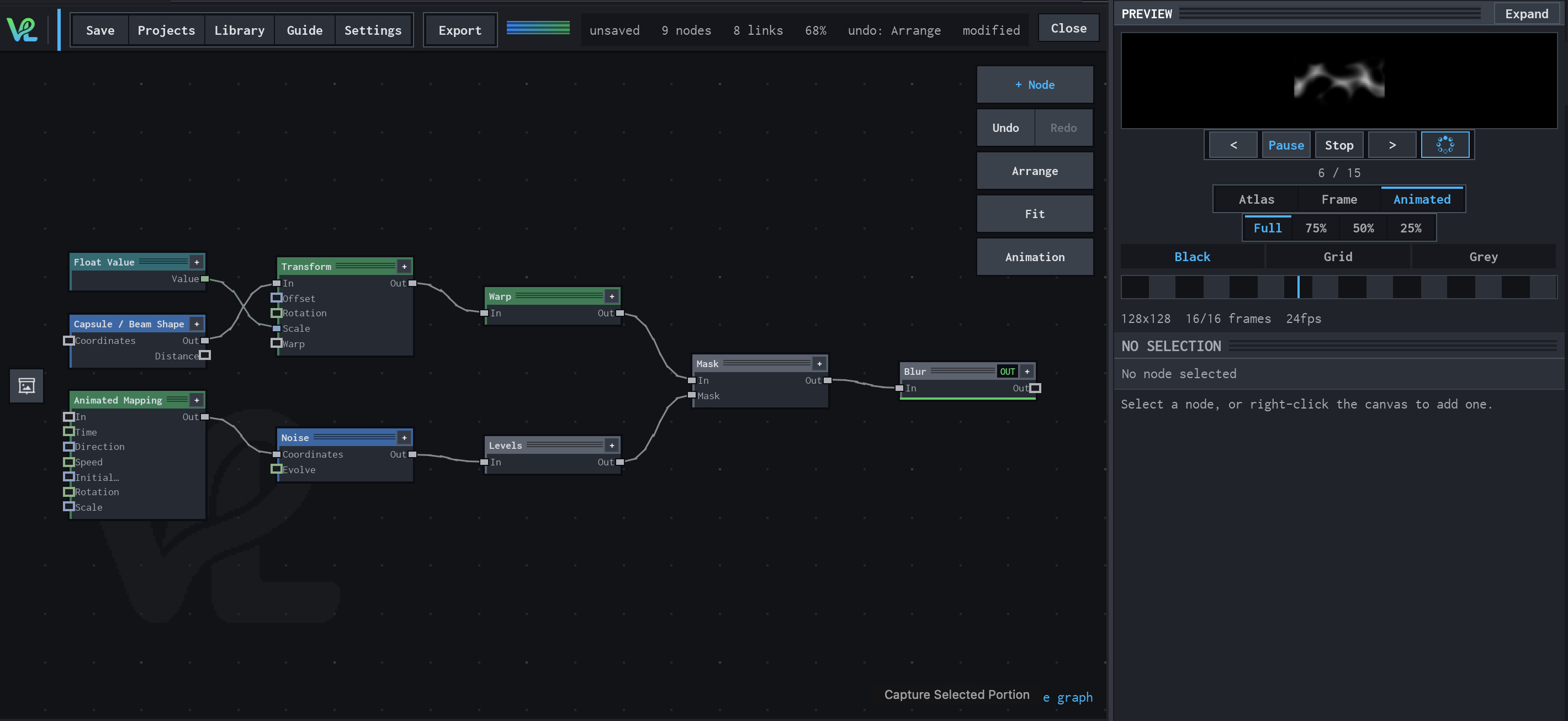
How Noise contributes
Noise samples the animated coordinates and produces the evolving procedural image used by the lower branch.
Notes / limitations
- Noise is tileable; its seamless behaviour is part of the node's production definition.
- Preview quality can reduce octave count to remove fine detail while keeping the composition's broad shape closer to the final evaluation.
- Fast Gradient is intentionally not described as a neutral optimisation: the source says it changes the field slightly and only applies to Gradient basis.