
Documentation
Mask
VFX Loom 1.0 reference for the Mask node.
processing.mask 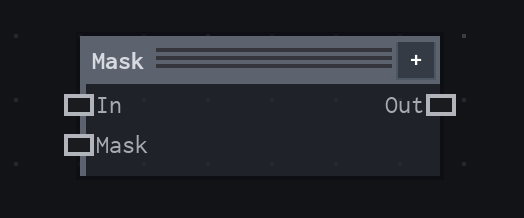
Overview
Sets or multiplies alpha, from a mask image or the input itself.
Applies sampled mask coverage. Strength blends original alpha with masked alpha; Clear RGB optionally zeros fully transparent color.
- Category
- Filters
- Internal ID
processing.mask- Version
- VFX Loom 1.0
Inputs
| Input | Type | Required | Default | Meaning |
|---|---|---|---|---|
| in | Image | Required | — | image whose alpha is being set |
| mask | Image | Optional | — | bright areas keep the image; unconnected uses the image itself; scalar Field inputs are read directly |
Properties
| Property | Type | Default | Animatable | Range / options | Effect |
|---|---|---|---|---|---|
| Source Channel | Enum | Luminance | Not declared | Luminance · Alpha · Red | Selects the source channel behavior; each option changes the operation described in the overview. |
| Mode | Enum | Replace | Not declared | Replace · Multiply · Min · Max | Selects the mode behavior; each option changes the operation described in the overview. |
| Invert | Bool | false | Not declared | — | Local control documented by the production node behavior. |
| Strength | Scalar | 1 | Yes | Hard 0..1 | Animatable control; changing it over time varies the node response. |
| Clear RGB | Bool | false | Not declared | — | Output group |
Outputs
| Output | Type | Meaning |
|---|---|---|
| out | Image | The production node output described by the overview. |
Usage
In practice
- Use Mask when the graph needs Sets or multiplies alpha, from a mask image or the input itself.
- Applies sampled mask coverage. Strength blends original alpha with masked alpha; Clear RGB optionally zeros fully transparent color.
- Place it after the image or mask it should process, and check its alpha and edge behavior before using the result in a tiled graph.
Examples
These examples show Mask in supplied VFX Loom graph setups. Each graph link opens the corresponding node reference; the explanation below the media is specific to this node's role in that setup.
Shape / Warp / Glow with a moving wave branch
Two branches meet at Mask: a Shape branch is warped, outlined, and bloomed, while Time drives Motion → Mapping → Wave Texture → Transform to create a moving secondary field.
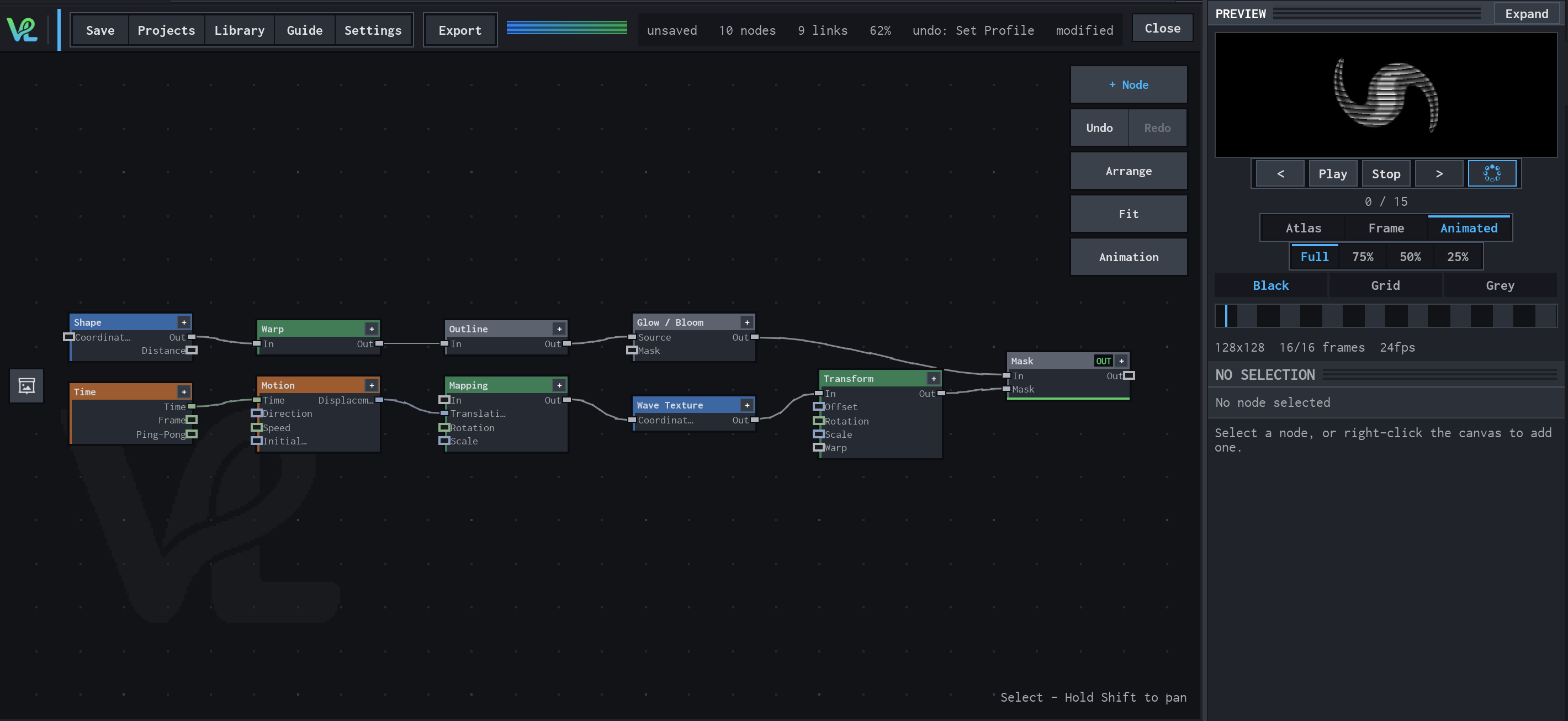
How Mask contributes
Mask is the convergence point. It receives the treated Shape branch and the animated wave branch so the final output can use both coverage contributions.
Gradient → Colorize → Glow / Bloom
A radial colour treatment combines a Gradient source with a Shape mask at Mask, then sends the coloured field through Glow / Bloom for the visible halo.
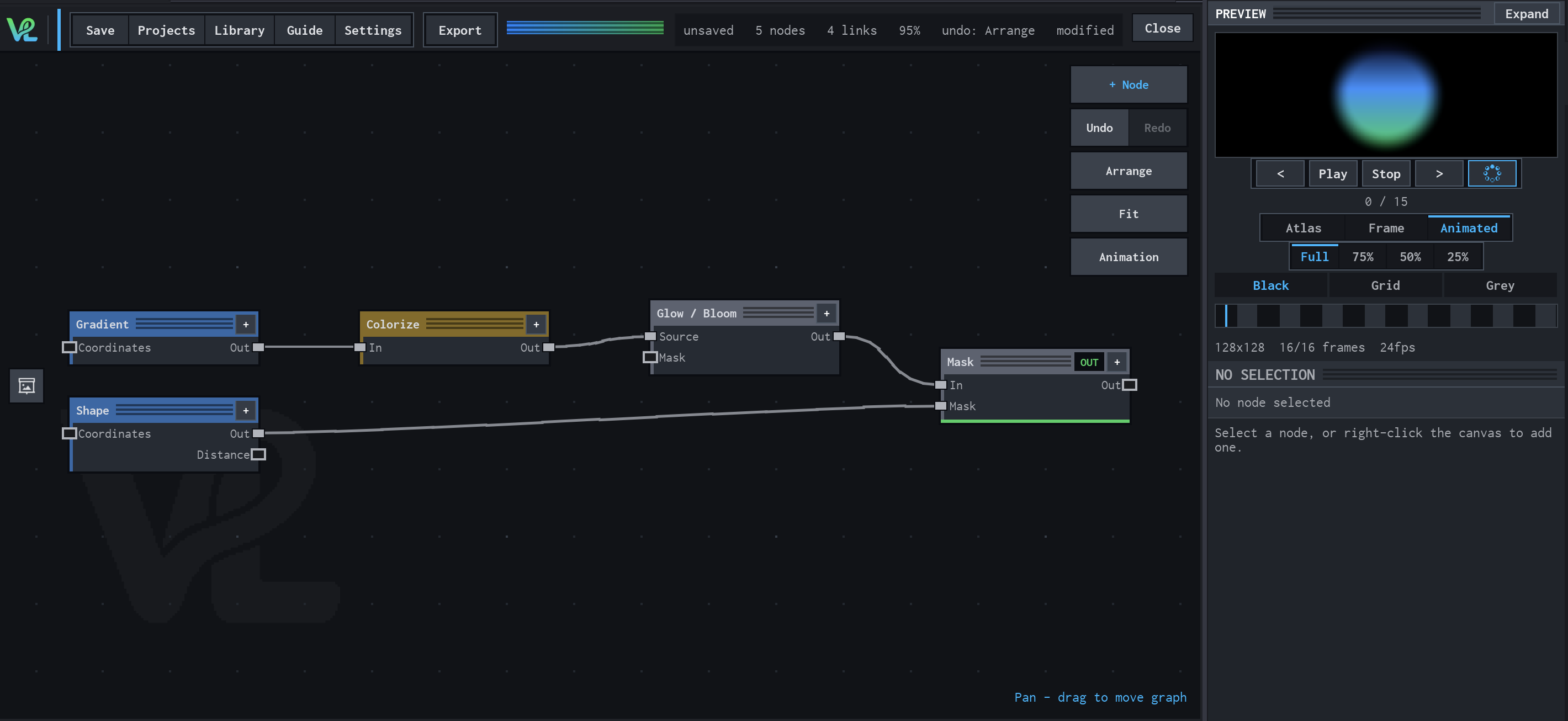
How Mask contributes
Mask receives the glow branch and Shape coverage. It is the final gate that combines the colour treatment with the circular silhouette.
Animated Mapping → Noise → Levels → Mask → Blur
An animated procedural field meets a transformed capsule branch at Mask: Float Value controls Transform scale, while Animated Mapping drives Noise and Levels before the final Blur.
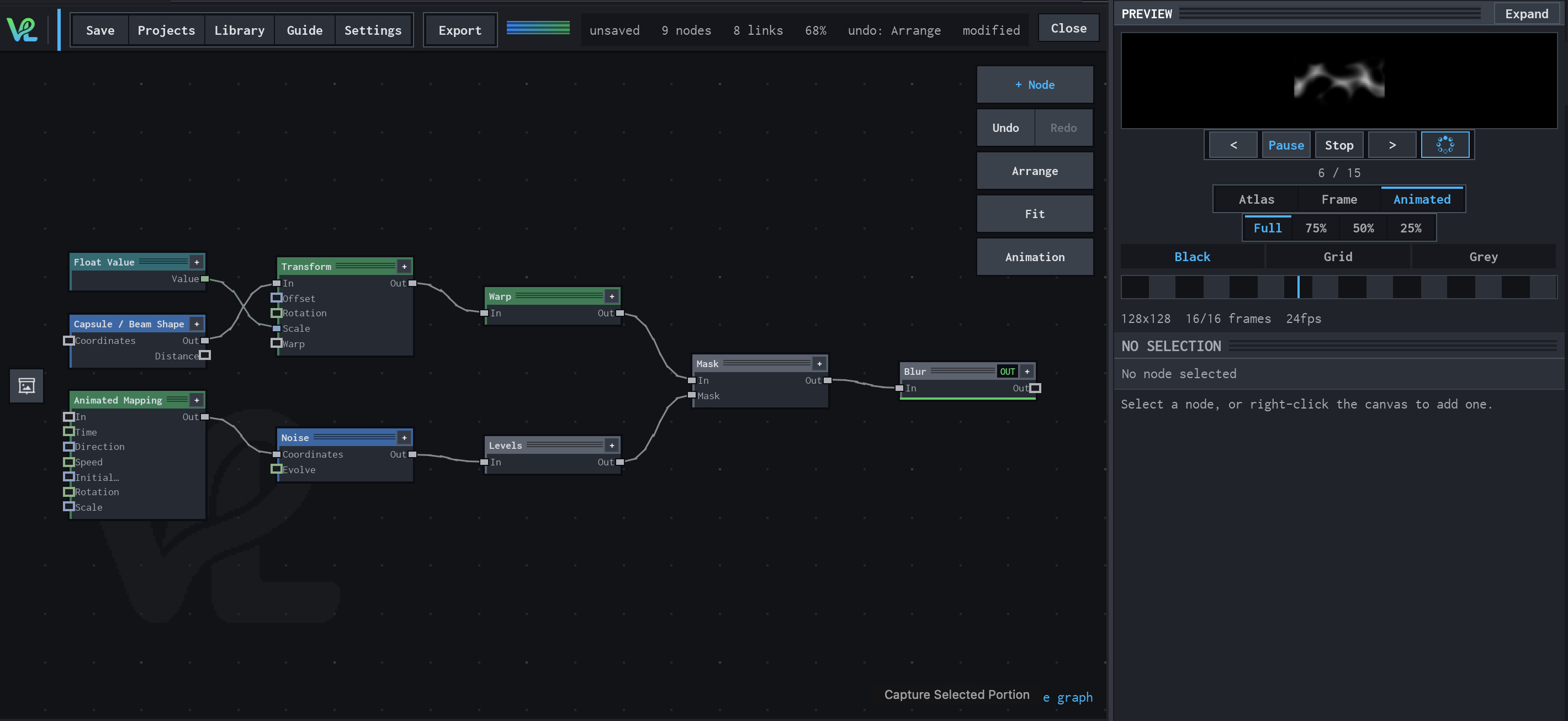
How Mask contributes
Mask combines the warped capsule branch with the animated noise/Levels branch, defining the final coverage for the effect.
Notes / limitations
- No step is declared for Strength.