
Documentation
Color Adjust
VFX Loom 1.0 reference for the Color Adjust node.
Color
processing.adjust 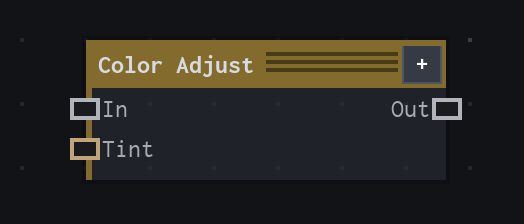
Overview
Adjusts tint, brightness, contrast, and alpha on an image.
Applies tint, then contrast around the midpoint, then brightness. Tint alpha scales coverage; Clamp Result limits output channels to 0..1.
- Category
- Color
- Internal ID
processing.adjust- Version
- VFX Loom 1.0
Inputs
| Input | Type | Required | Default | Meaning |
|---|---|---|---|---|
| in | Image | Required | — | See the overview for the node's documented behavior. |
| tint | Color | Required | — | connected tint overrides local Tint |
Properties
| Property | Type | Default | Animatable | Range / options | Effect |
|---|---|---|---|---|---|
| Tint | Color | (1,1,1,1) | Not declared | — | Local control documented by the production node behavior. |
| Brightness | Scalar | 0 | Yes | Hard -1..1 · UI range: soft | Animatable control; changing it over time varies the node response. |
| Contrast | Scalar | 1 | Yes | Hard 0..4 · UI range: soft | Animatable control; changing it over time varies the node response. |
| Clamp Result | Bool | false | Not declared | — | Local control documented by the production node behavior. |
Outputs
| Output | Type | Meaning |
|---|---|---|
| out | Image | The production node output described by the overview. |
Usage
In practice
- Use Color Adjust when the graph needs Adjusts tint, brightness, contrast, and alpha on an image.
- Applies tint, then contrast around the midpoint, then brightness. Tint alpha scales coverage; Clamp Result limits output channels to 0..1.
- Use it after a source or scalar field, then send the adjusted image or colour value to a downstream composite or material stage.
Notes / limitations
- No step is declared for Brightness or Contrast.