
Documentation
Mesh Input
VFX Loom 1.1.0 reference for the Mesh Input node.
Geometry
generator.geometryInput 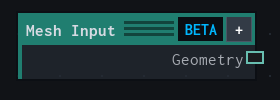
Overview
Brings a MeshPart into the Geometry Beta branch of a Material project.
Geometry Beta source. Selects a MeshPart for the geometry branch; the captured mesh source remains stable until it is recaptured.
- Category
- Geometry
- Internal ID
generator.geometryInput- Version
- Current audited reference
Properties
| Property | Type | Default | Animatable | Range / options | Effect |
|---|---|---|---|---|---|
| Mesh | Asset | "" | Not declared | — | Local control documented by the production node behavior. |
Outputs
| Output | Type | Meaning |
|---|---|---|
| geometry | Geometry | The production node output described by the overview. |
Usage
In practice
- Create or open a Material project, then choose a MeshPart or use the current Studio selection as the mesh source.
- Connect Mesh Input to a Geometry field or deformation node before sending the branch to Asset Output.
Notes / limitations
- Geometry is a Beta procedural VFX geometry toolset inside Material projects, not a general mesh-modeling system.