
Documentation
Shape
VFX Loom 1.0 reference for the procedural Shape generator.
generator.shape 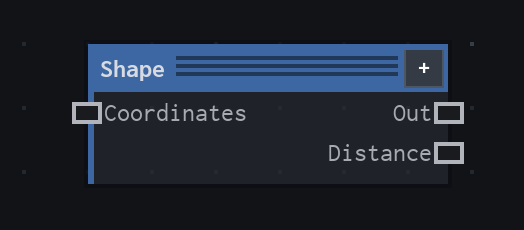
Overview
Creates a soft procedural shape mask and a companion distance image. Use it for clean silhouettes, radial masks, outlines, and distance-driven image processing.
- Category
- Generators
- Internal ID
generator.shape- Version
- VFX Loom 1.0
Inputs
| Input | Type | Required | Default | Meaning |
|---|---|---|---|---|
| Coordinates | Field | Optional | UV | The coordinate stream to sample. When disconnected, Shape samples the canonical UV space. |
Properties
| Property | Type | Default | Animatable | Range / options | Effect |
|---|---|---|---|---|---|
| Shape | Enum | Circle | No | Circle · Square · Ring · Polygon | Chooses the signed-distance primitive. Polygon uses the Polygon Sides value. |
| Polygon Sides | Scalar | 6 | No | Hard 3..12 · step 1 · visible for Polygon | Sets the number of edges on a regular polygon. Set it to 3 for a triangle; it has no visible role for the other Shape modes. |
| Radius | Scalar | 0.4 | Yes | Hard 0..1 | Scales the primitive in tile space. Increasing it makes the shape larger; 0 or less produces transparent output. |
| Softness | Scalar | 0.25 | Yes | Hard 0..1 | Controls the width of the edge falloff relative to Radius. Lower values make a crisper edge; higher values spread the transition. A minimum one-pixel edge is kept for antialiasing. |
| Center | Vector2 | (0.5, 0.5) | Yes | No component bounds declared | Moves the primitive in the sampled coordinate space. Animate it to travel a mask without changing its size. |
| Aspect | Scalar | 1 | Yes | Hard 0.1..10 · exponent 2 | Scales the shape-space X axis before the distance is evaluated. Values above 1 make the shape narrower in X; values below 1 make it wider. |
Outputs
| Output | Type | Meaning |
|---|---|---|
| Out | Image | The soft shape mask, with coverage represented by the sampled value. |
| Distance | Image | The signed distance remapped to 0..1. Its alpha is 1, so it remains a distance image rather than a coverage mask. |
Usage
In practice
- Use Out when the next node needs a mask: multiply it with noise, use it as a blend mask, or feed it into a color pipeline.
- Use Distance when a downstream operation needs a continuous field rather than only inside/outside coverage. Mapping can provide a moved or transformed Coordinates field.
- Radius, Softness, Center, and Aspect are animatable. Together they cover pulsing, travelling, stretching, and soft-edged shape changes without replacing the node.
Worked example: Shape → Colorize → Blur
Build a soft emblem or energy core by turning the Shape mask into colour, then softening the result. This demonstrates the difference between a scalar mask and the image processing nodes that consume it.
- Add Shape and leave Coordinates disconnected so it uses UV. Start with Circle, Radius 0.4, and Softness 0.25.
- Connect Out to Colorize. Choose a dark transparent Stop 0 and a bright opaque Stop 3; use the interior stops to control the shoulder of the glow.
- Connect Colorize to Blur. Increase Radius from 0.02 only as far as the halo needs, and use Tile edges when the effect must remain seamless across the tile boundary.
Examples
These examples show Shape in supplied VFX Loom graph setups. Each graph link opens the corresponding node reference; the explanation below the media is specific to this node's role in that setup.
Shape → Gradient Map → Emboss → Pixelate
A stylized ring pipeline that turns Shape coverage into a mapped colour image, adds relief-like contrast, then deliberately reduces detail with Pixelate.
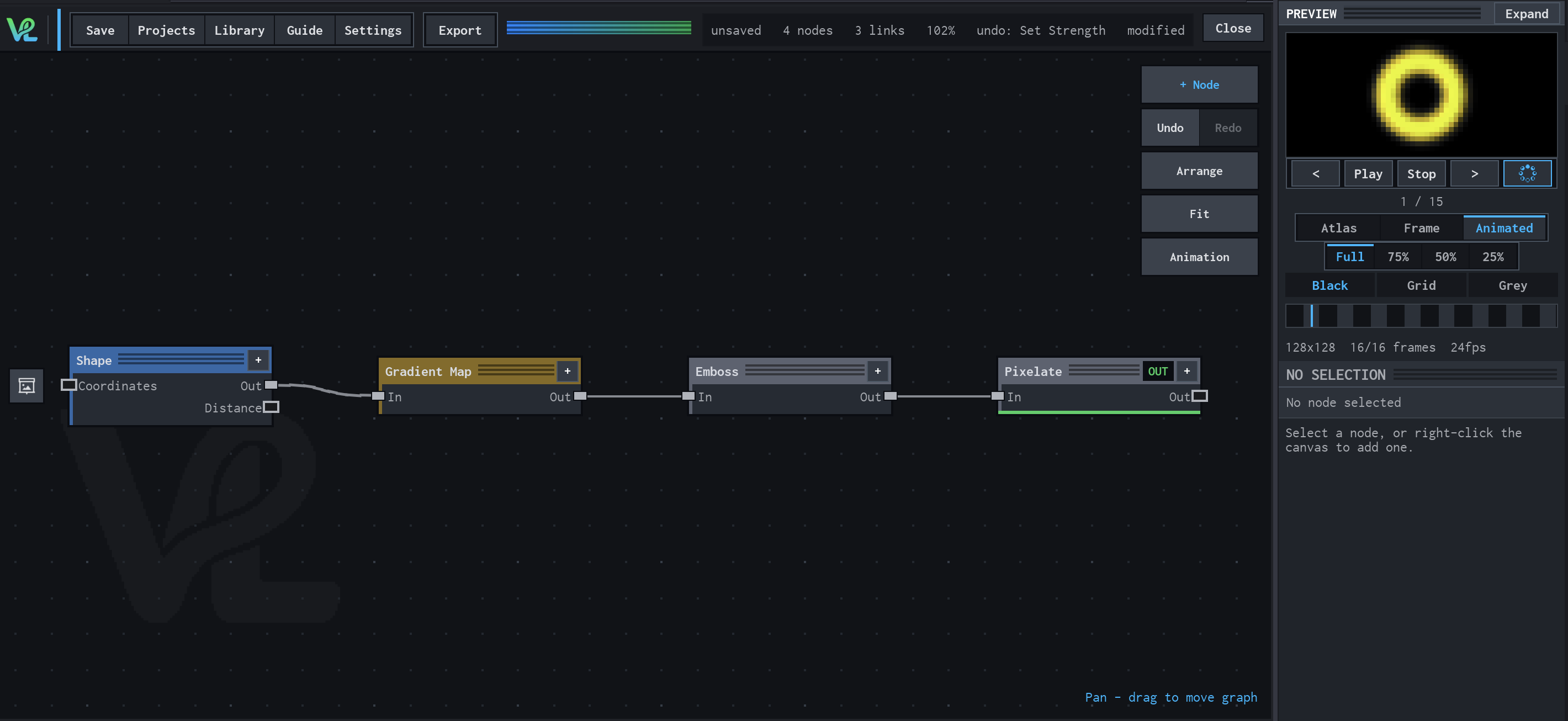
How Shape contributes
Shape provides the clean ring mask. Its soft coverage gives the image stages a controlled silhouette rather than a full-frame source.
Shape / Warp / Glow with a moving wave branch
Two branches meet at Mask: a Shape branch is warped, outlined, and bloomed, while Time drives Motion → Mapping → Wave Texture → Transform to create a moving secondary field.
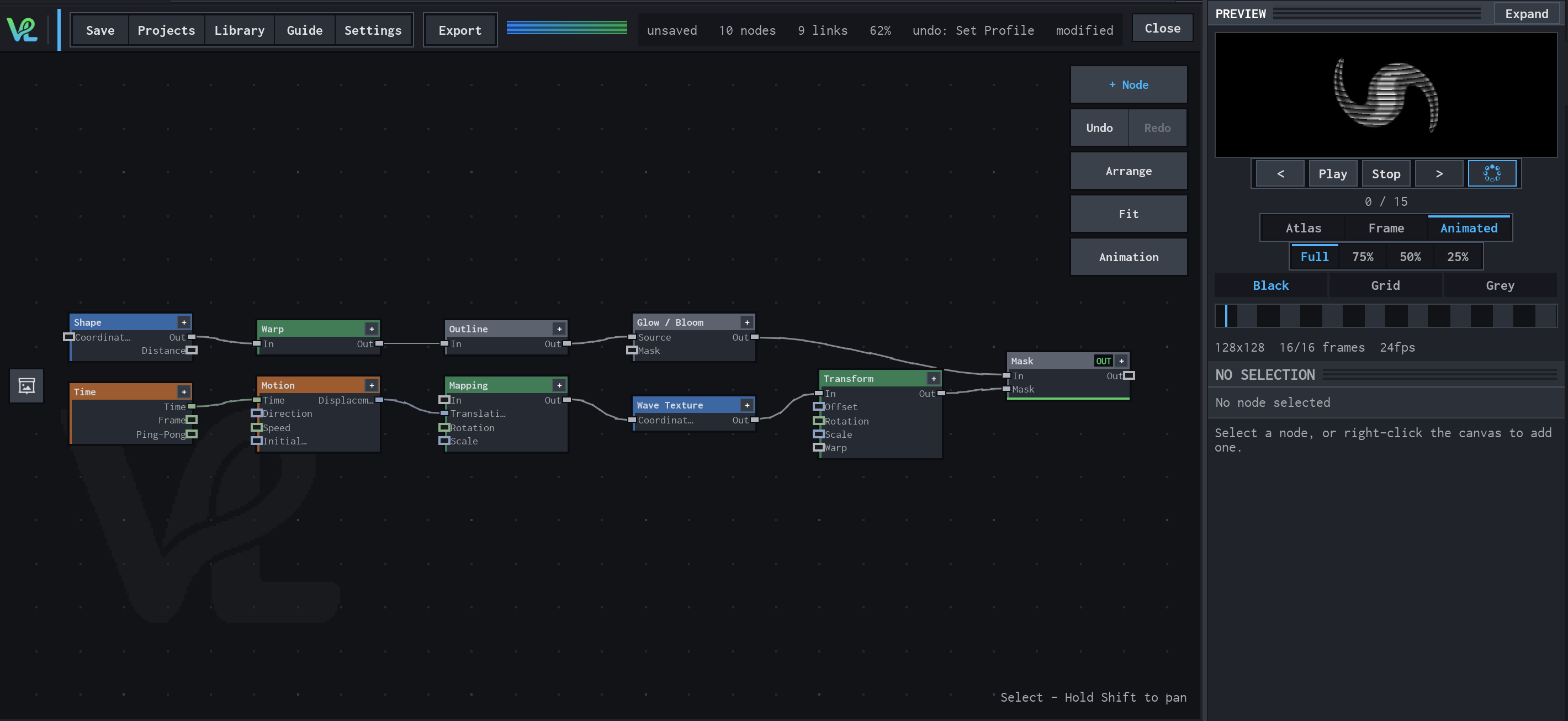
How Shape contributes
Shape is the base silhouette for the upper branch. It defines the maskable form before Warp and Outline add the graph's shape treatment.
Gradient → Colorize → Glow / Bloom
A radial colour treatment combines a Gradient source with a Shape mask at Mask, then sends the coloured field through Glow / Bloom for the visible halo.
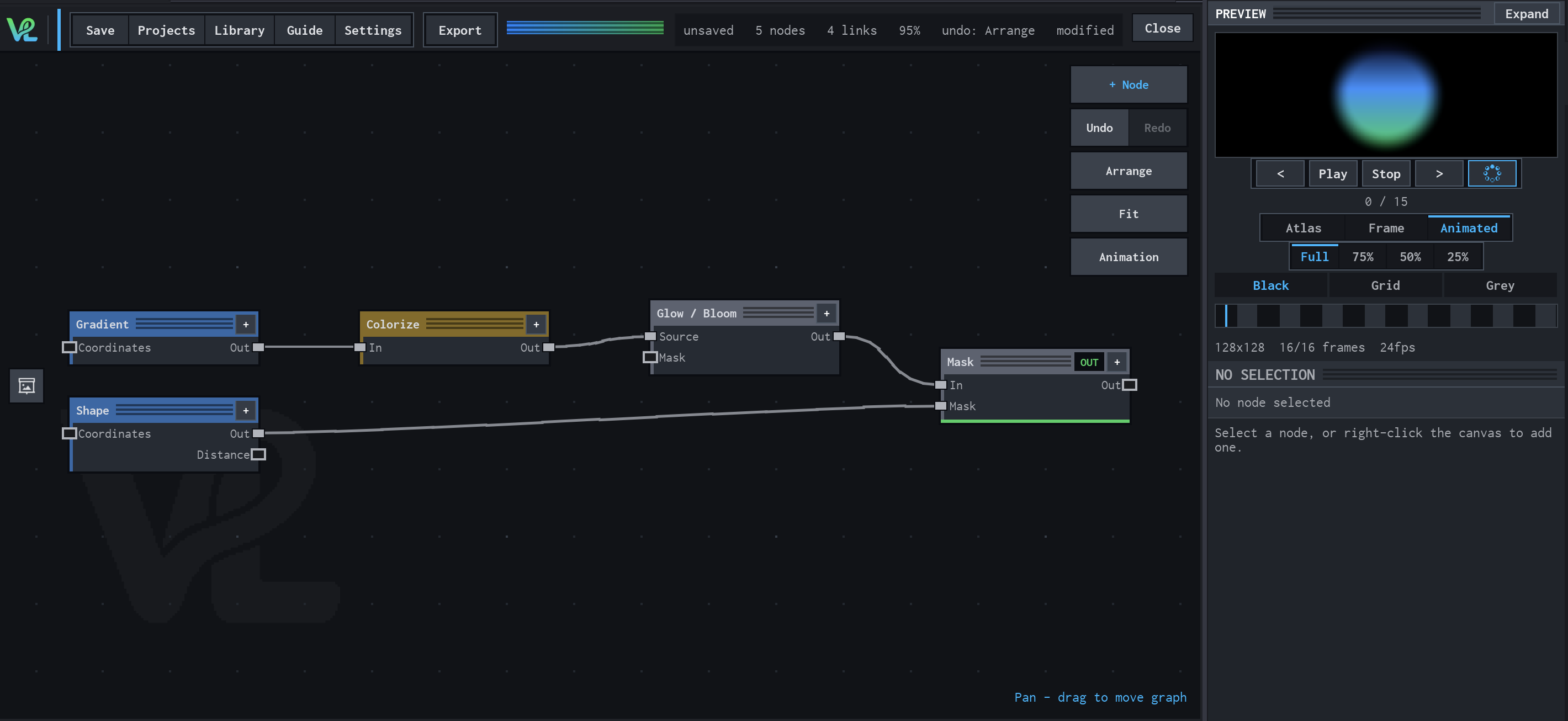
How Shape contributes
Shape provides the independent circular coverage branch. It controls where the composite is allowed to show the coloured glow.
Notes / limitations
- Coordinates is a lazy Field input, not an Image input.
- Out and Distance are emitted together. Distance is not an alias for Out: its alpha remains 1.
- The production source does not declare a step for Radius, Softness, or Aspect, or component bounds for Center. Those fields are intentionally not presented as stricter limits here.