
Documentation
Mask Combine
VFX Loom 1.0 reference for the Mask Combine node.
Filters
processing.maskCombine 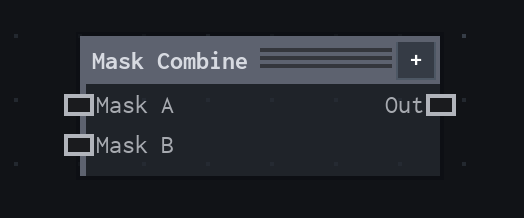
Overview
Combines two masks into grayscale RGB and matching alpha.
Coverage is clamped to normalized values. Union, Intersect, Subtract, and Multiply are applied pointwise; mismatched inputs are sampled safely with Clamp.
- Category
- Filters
- Internal ID
processing.maskCombine- Version
- VFX Loom 1.0
Inputs
| Input | Type | Required | Default | Meaning |
|---|---|---|---|---|
| maskA | Image | Required | — | first coverage field |
| maskB | Image | Required | — | second coverage field |
Properties
| Property | Type | Default | Animatable | Range / options | Effect |
|---|---|---|---|---|---|
| Source Channel | Enum | Alpha | Not declared | Alpha · Luminance | Selects the source channel behavior; each option changes the operation described in the overview. |
| Operation | Enum | Union | Not declared | Union · Intersect · Subtract · Multiply | Selects the operation behavior; each option changes the operation described in the overview. |
| Invert A | Bool | false | Not declared | — | Local control documented by the production node behavior. |
| Invert B | Bool | false | Not declared | — | Local control documented by the production node behavior. |
Outputs
| Output | Type | Meaning |
|---|---|---|
| out | Image | The production node output described by the overview. |
Usage
In practice
- Use Mask Combine when the graph needs Combines two masks into grayscale RGB and matching alpha.
- Coverage is clamped to normalized values. Union, Intersect, Subtract, and Multiply are applied pointwise; mismatched inputs are sampled safely with Clamp.
- Place it after the image or mask it should process, and check its alpha and edge behavior before using the result in a tiled graph.